

Testimonials are one of the most effective ways to build trust on your website. They help reinforce credibility and improve conversions.
Step 1: Install a Testimonials Extension
Use a lightweight extension like TestimonialLab.
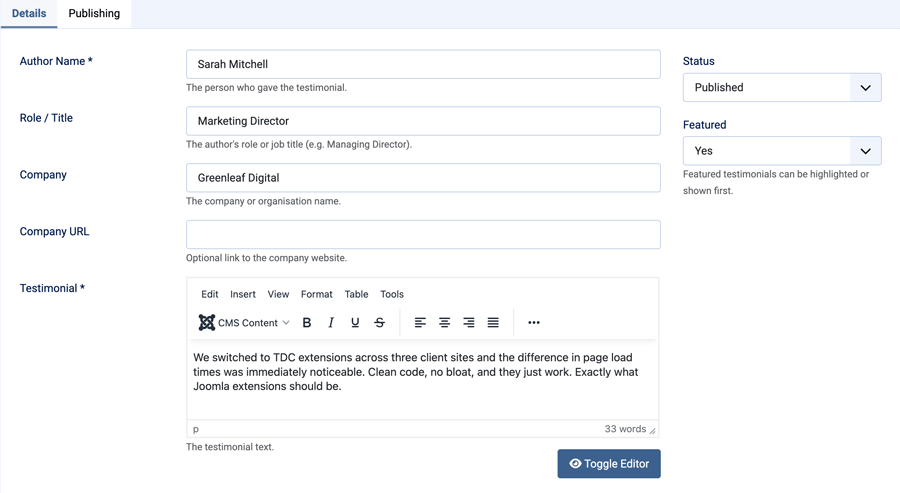
Step 2: Add Testimonials
- Name
- Role
- Company
- Testimonial text
Step 3: Choose Layout
- Grid layout
- List layout

Step 4: Feature Key Testimonials
Highlight your strongest testimonials for more impact.
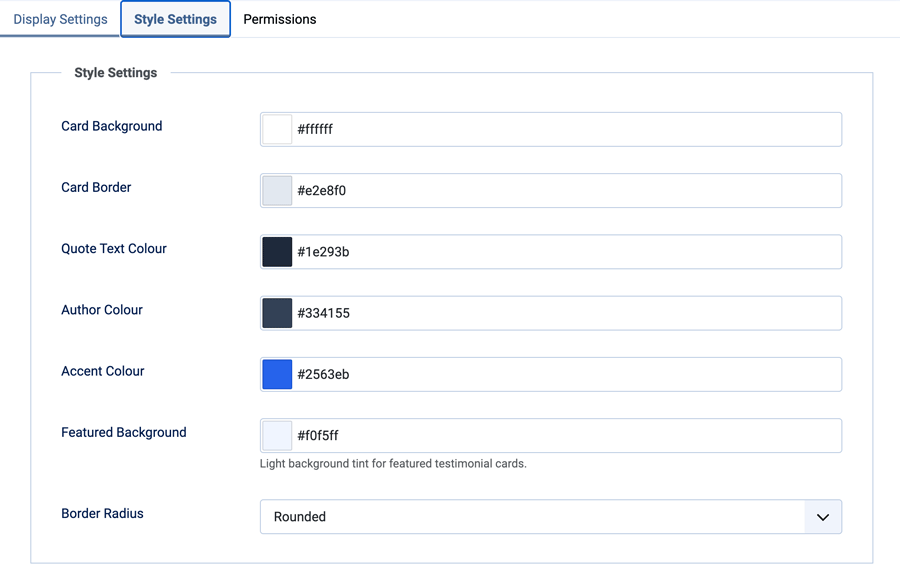
Step 5: Style to Match Your Site
Adjust colours, borders, and layout to fit your design.
Step 6: Publish Anywhere
- Homepage
- Service pages
- Landing pages
Final Thoughts
TestimonialLab makes it easy to manage and display testimonials in a clean, professional format.