
Includes: Component, Plugin
PostBox Pro
Multi-step forms for Joomla 5 and 6 — with conditional field logic, calculated totals and estimates, file uploads, auto-save, and a submission review step.
Build complex enquiry forms, application forms, and multi-page contact forms without the overhead of a full form framework. PostBox Pro installs in seconds and includes a one-step import tool to migrate from PostBox free.

About this Extension
PostBox Pro is a powerful form builder for Joomla 5 and 6. It goes beyond simple contact forms with multi-page navigation, conditional field logic, calculated results, file uploads, a submission review step, and auto-save — all built with vanilla PHP and Joomla-native MVC. No jQuery, no bloat, no third-party dependencies.
Create a form, add your fields, set up your email notifications, and publish it as a menu item or embed it anywhere with a shortcode. Pro features like conditional logic and multi-step pagination are configured directly in the field editor — no code required.
See PostBox Pro in Action


Who It’s For
- Site owners who need more than a basic contact form — multi-page forms, conditional fields, and file uploads without installing a heavyweight form framework
- Developers building Joomla sites — clean MVC architecture, template overrides, and well-documented CSS classes for full control over output
- Agencies managing complex enquiry flows — build multi-step forms with conditional branching, review steps, and per-form GDPR retention rules
- Sites already using PostBox (free) — a built-in import tool migrates your existing forms, fields, and submissions into PostBox Pro in one step
Key Benefits
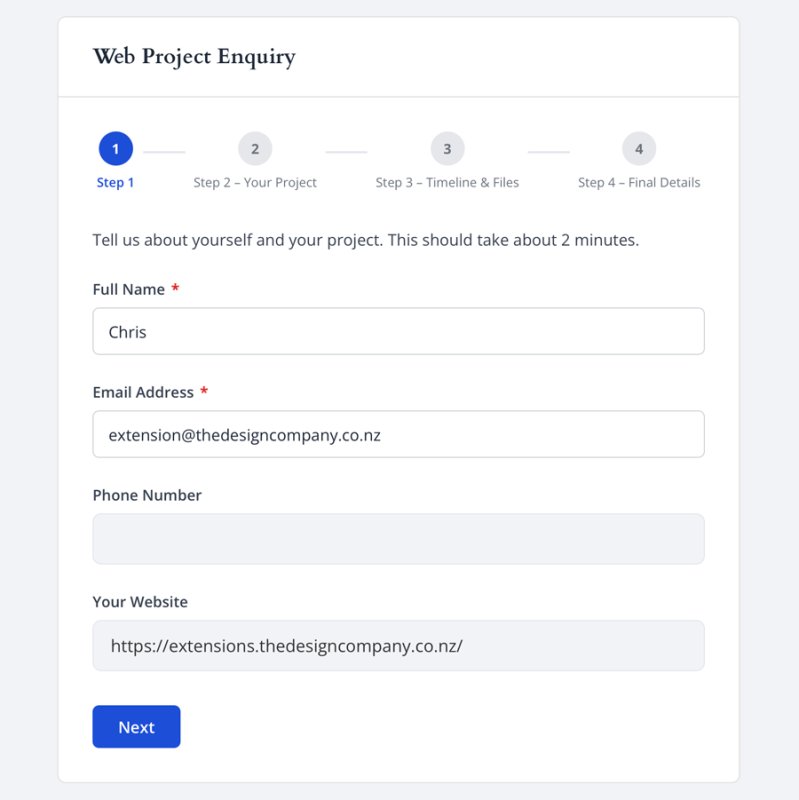
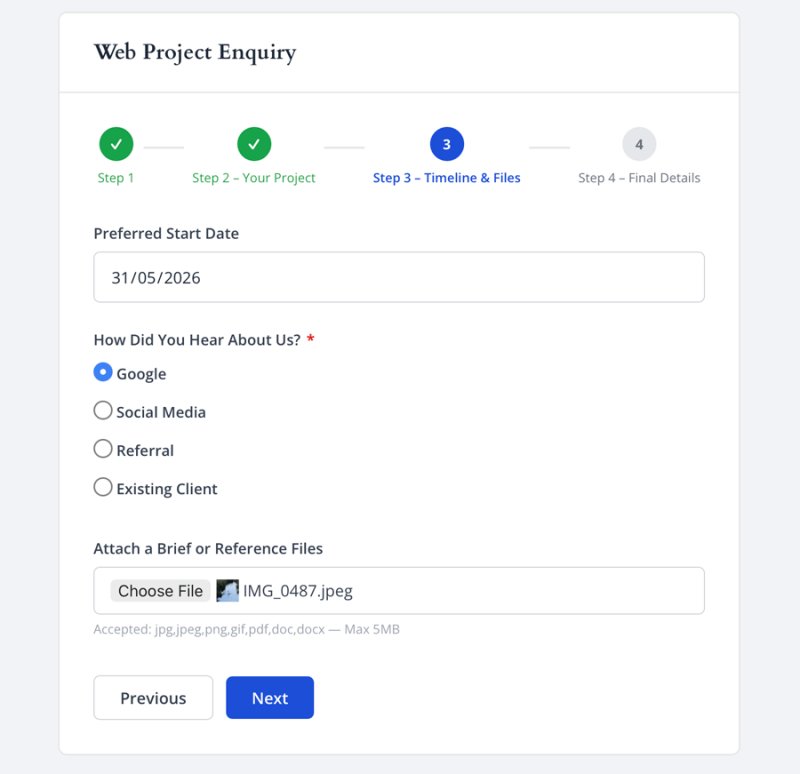
- Multi-page forms — split long forms into steps using Page Break fields; each page validates before advancing, with a progress bar showing the visitor where they are
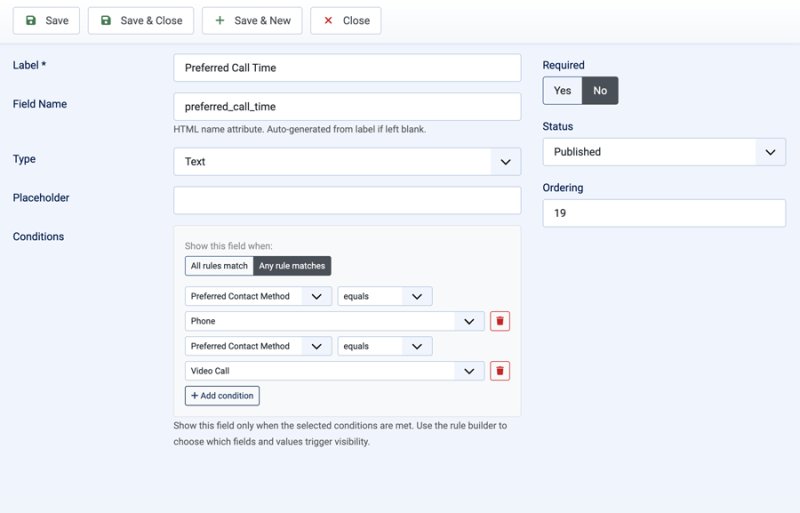
- Conditional field logic — show or hide any field based on the value of another; configure AND/OR rules visually in the field editor with no coding required
- Calculated results — build donation totals, estimates, measurements and percentages with a guided operation for each value, optional choice amounts and a live preview
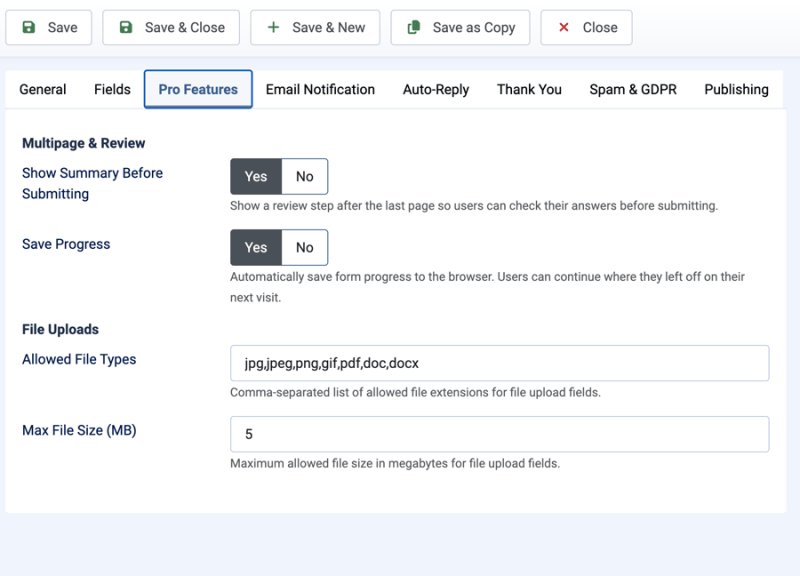
- File uploads — accept attachments with configurable allowed file types and per-form size limits; uploaded files are attached to the admin notification email
- Summary / review step — optionally show visitors a review of their answers before final submission, reducing errors on longer forms
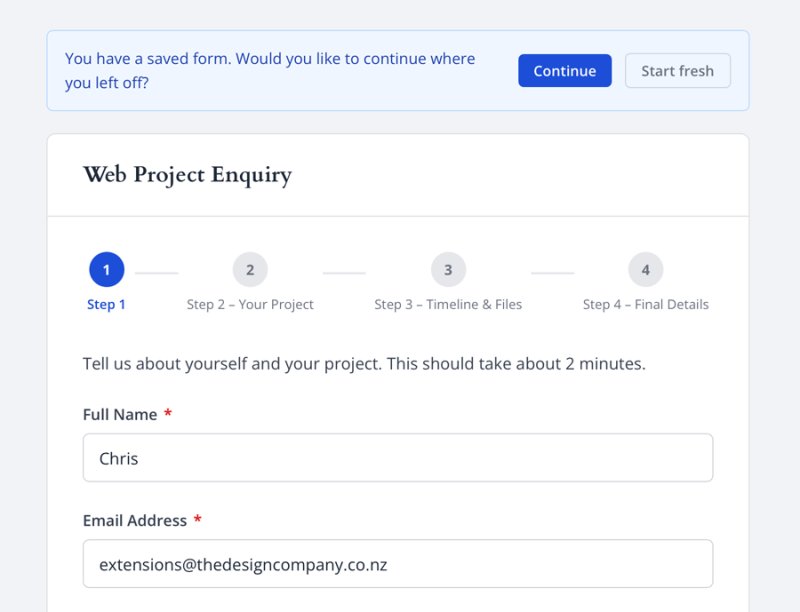
- Auto-save — save form progress to browser storage so visitors can resume if they navigate away; progress clears on successful submission
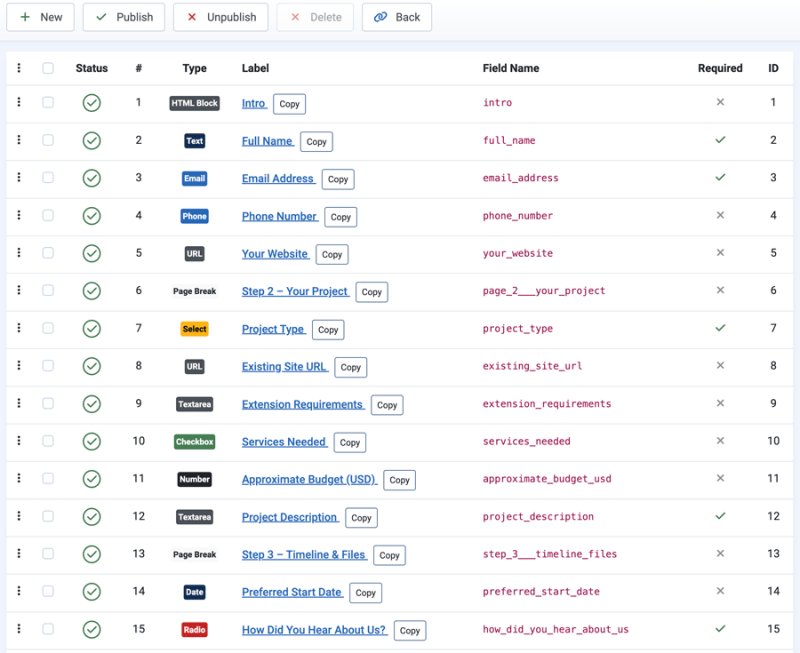
- Fourteen field types, plus Page Break — text, email, textarea, dropdown, checkbox, radio, number, date, telephone, URL, file upload, HTML content blocks, hidden fields and calculated results
- AJAX submission — forms submit without a page reload; inline validation gives immediate feedback before the server is contacted
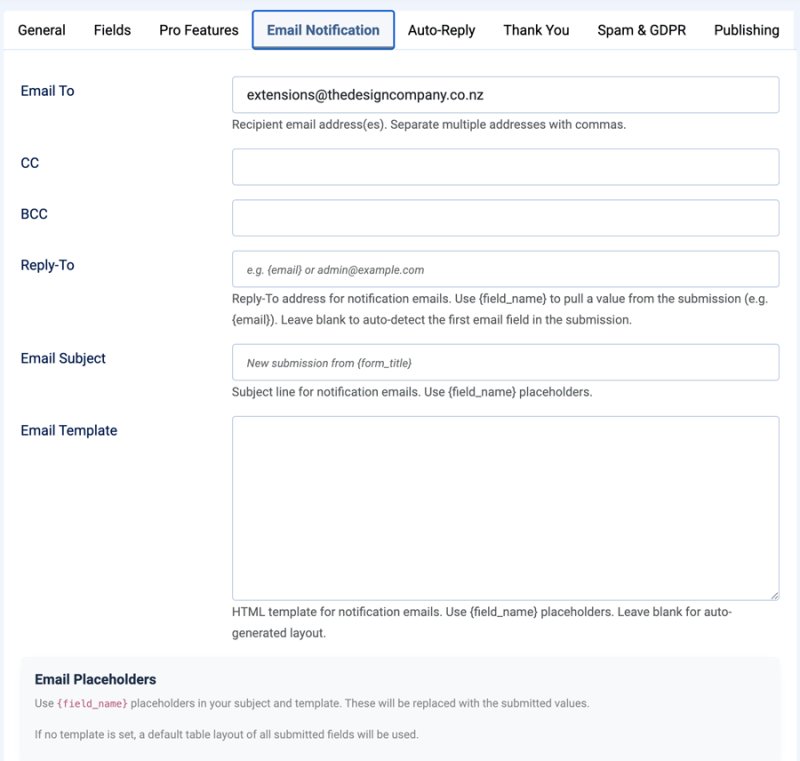
- Email notifications with templates — customise notification emails and auto-reply messages using
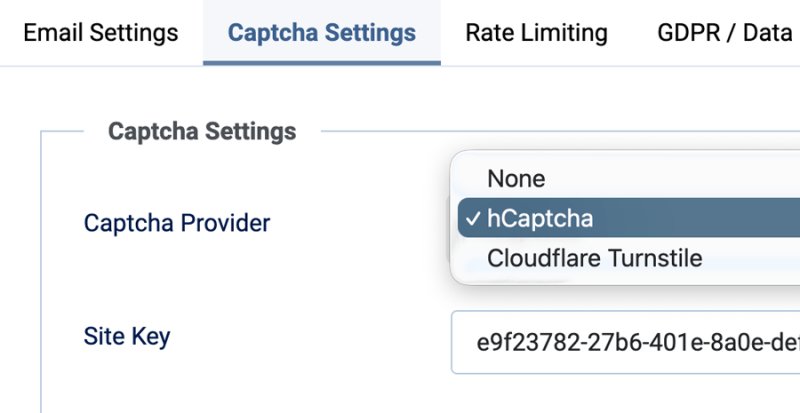
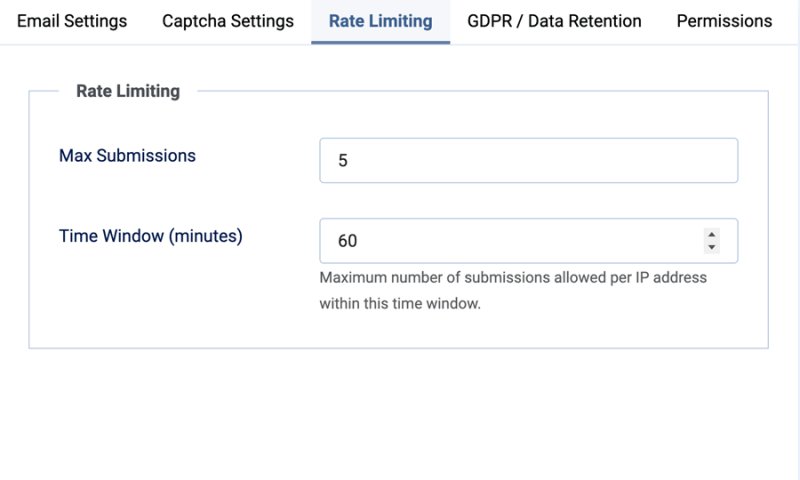
{field_name}placeholders; specify exactly which field provides the reply-to address - Three layers of spam protection — honeypot (always active), IP rate limiting (always active), and optional captcha via hCaptcha or Cloudflare Turnstile
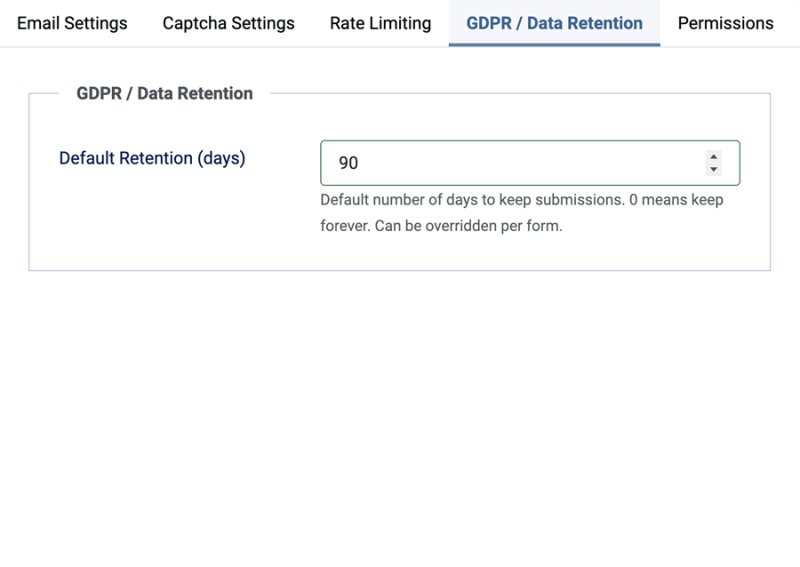
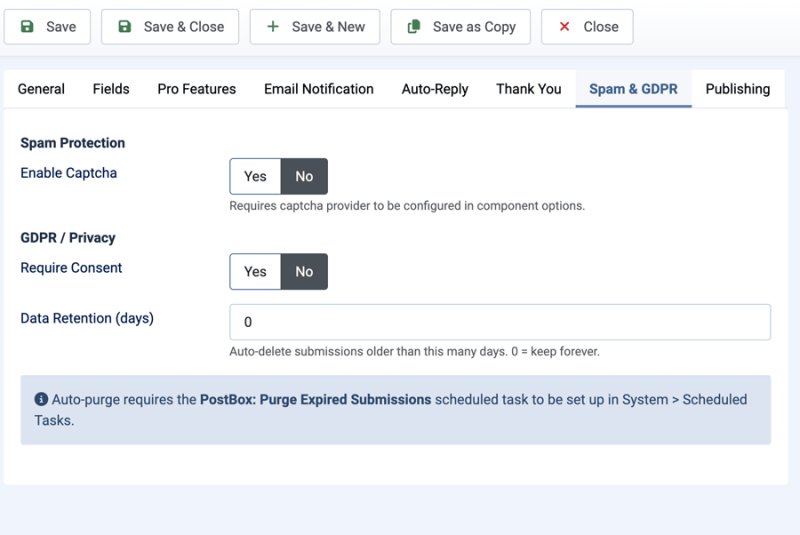
- GDPR compliance built in — per-form consent checkboxes, configurable data retention periods, an automated purge task, and an email-only mode that stores nothing in the database
- Never miss an enquiry — submissions are stored before the email is sent, failed emails are flagged in the admin, and every field is validated on the server
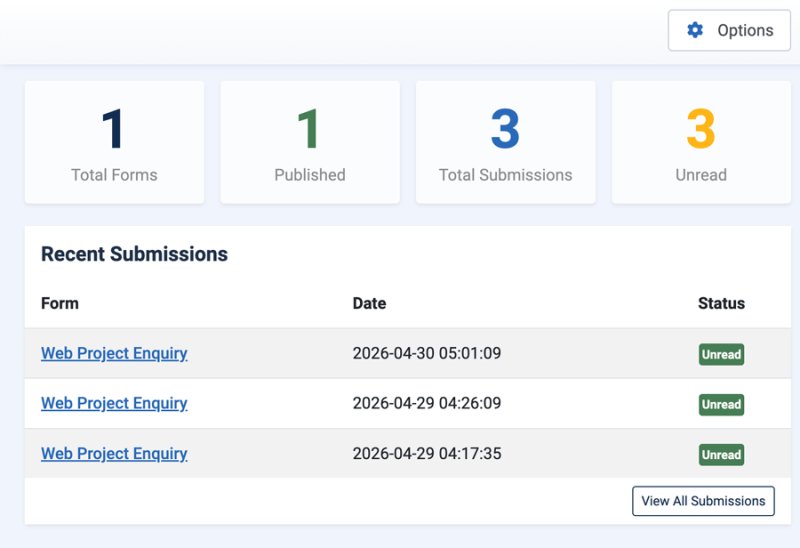
- Submissions manager — filter by form and read status, search across data, export to CSV, and mark submissions read or unread in bulk
- Import from PostBox free — migrate existing forms, fields, and submissions from the free version without losing any data
- No dependencies — vanilla PHP and Joomla-native MVC; no jQuery, no Bootstrap, no third-party libraries in the output
How It Works
- Install the package — the component, shortcode content plugin, GDPR purge task plugin and licence sync plugin are installed and enabled together in one step.
- Go to Components → PostBox Pro → Forms and click New to create a form.
- Add fields from the field manager. Set up conditional logic, calculated results, file upload limits, and multi-page breaks as needed.
- Configure email notifications, auto-reply, and spam protection on the form’s settings tabs.
- Publish the form as a menu item, or embed it in any article using the
{postboxpro ID}shortcode.
Built for Joomla 5 and 6 using Joomla’s native MVC architecture. No jQuery, no Bootstrap dependencies in the front-end output. All Pro features — multi-page navigation, conditional logic, calculated results, file uploads, and auto-save — work identically whether the form is published as a menu item or embedded via shortcode.
Free vs Pro
| Feature | Free | Pro |
|---|---|---|
| Core form builder | ✓ | ✓ |
| Joomla 5 and 6 support | ✓ | ✓ |
| Field types | 6 standard | 14 types + Page Break |
| Side-by-side field layout | — | ✓ |
| Multi-page forms | — | ✓ |
| Conditional field logic | — | ✓ |
| Calculated results and choice amounts | — | ✓ |
| File uploads | — | ✓ |
| Review step and auto-save | — | ✓ |
| Updates | Free releases | Pro releases |
Releases
What's New in 1.3.2
New Calculated Results field
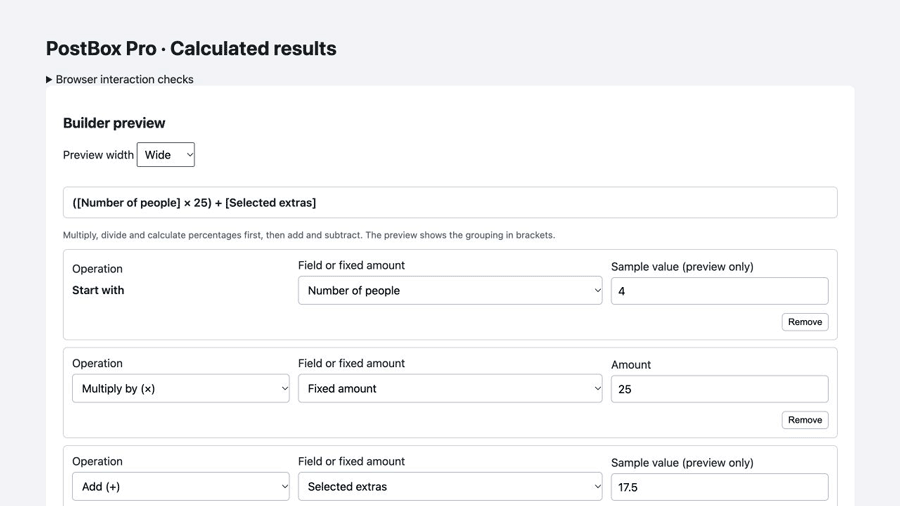
- Calculated results — add a read-only result field that updates as visitors fill in the form. Use a guided builder to add or multiply values, subtract, divide, or calculate a percentage. Select number fields, choice fields with amounts, or fixed amounts; no formulas or code are needed. Test sample values in the builder before saving.
- Optional choice amounts — attach numeric amounts to dropdown, radio and checkbox options without changing the option labels or the answers stored in submissions. Multiple selected checkbox amounts are added together.
- Consistent results — results support number or currency display (NZD, AUD, USD, GBP, EUR and CAD) and 0–6 decimal places. Results appear in the review step, notification and auto-reply templates, stored submissions and CSV exports. The server recalculates every result from validated active answers; browser-supplied totals are ignored.
- Empty answers and conditionally hidden fields contribute zero. Division by zero and unavailable sources produce a validation error. Calculations cannot reference other calculated results, and calculated results are not offered as conditional-rule sources.
- An operation for each value — calculated result fields start with a value and let you choose Add, Subtract, Multiply by, Divide by or Take percentage for every following value. New rows default to Add. Build estimates such as number of people × rate + selected extras in a single result field.
- Clear calculation order — the live builder preview shows field labels and explicit grouping. Multiplication, division and percentages are evaluated before addition and subtraction, with operations inside each group evaluated from left to right. For example, base fee + hours × rate previews as base fee + (hours × rate).
Fixes
- Forms that had captcha enabled rejected all submissions after the captcha provider was set back to None in PostBox Pro Options. Setting the provider to None now turns captcha off on every form.
What's New
Security and privacy hardening, plus a new email-only mode.
- Captcha fails closed: if a form has captcha enabled but the provider, site key or secret key is missing, submissions are now rejected instead of skipping verification. The form editor warns when this is the case
- Email delivery is checked: the notification email result is now recorded. Failed sends are logged and shown with an "Email failed" badge in Submissions
- New email-only mode: set Store Submissions to No on a form to validate and email submissions without storing anything in the database. In this mode, visitors see an error if the email can't be sent
- Stricter server-side validation: dropdown, radio and checkbox values must match the configured options; unexpected arrays are rejected; fields have a maximum length (10,000 characters for textareas, 1,000 otherwise)
- No raw IPs for rate limiting: rate-limit entries now store a keyed hash of the IP address (kept for up to 24 hours)
- Fixed submitted values being run through the wrong input filter when they matched a filter name (for example, a value of "Int" being saved as 0)
- Auto-reply emails are sent only after the submission has been received successfully
- PostBox warnings and errors (captcha and email failures) are now written to ; previously they were only recorded when Joomla's "Log Everything" option was on
Whats New
What's New
Adds a per-form date display format option so submitted date fields can be shown in the format your site expects, while still storing the raw browser value as `YYYY-MM-DD'
Changelog
- Date display format — each form now has a Date Display Format setting with common presets such as `30/07/2026`, `07/30/2026`, `2026-07-30`, `30 Jul 2026`, and `30 July 2026`.
- Consistent date output — date fields now use the selected form format in notification emails, custom email placeholders, admin submission details, submissions row summaries, and CSV exports.
- Raw storage preserved — submitted date values continue to be stored as `YYYY-MM-DD` for reliable validation, sorting, filtering, and integrations.
Improves the Submissions manager filters and makes CSV exports respect checked rows or the active filter set.
Changelog
- Fixed submission dropdown filters repeating a previous CSV export
- Fixed the untranslated status filter placeholder
- Export only checked submissions when rows are selected
- Export only submissions matching active form, status, date, and search filters when no rows are selected
- Continue to export all submissions when no rows or filters are selected
What's New in 1.1.5
Fixes review screen layout wrapping and ensures required conditional fields are only validated when their conditions are active.
- Review layout fix — long question labels no longer squeeze answer text into a narrow column on the review screen.
- Conditional required validation — required conditional fields are now skipped during frontend and server-side validation when their conditions are not met.
- Cleaner review summaries — inactive conditional fields are excluded from the review summary using the same conditional state as validation.
Changelog
- Fixed review screen answer wrapping when labels are long
- Only validate required conditional fields when their conditions are active
- Skip inactive conditional fields in the review summary
- Added matching server-side conditional required validation
- Fixed encoded HTML entities appearing in submitted textarea values
Improvements
Cleaner review screen — selected file uploads are listed on the review step, while empty optional fields are hidden.
Integration hook — PostBox Pro now exposes a before-notification submission hook so optional integration plugins can process uploaded files and add links before notification emails are sent.
Changelog
- Show the review step in the frontend progress indicator
- List selected file uploads on the review screen
- Hide empty fields from the review summary
- Added a before-notification submission hook for integration plugins
Improvements
Adds per-file notification email handling and configurable progress labels for multi-page forms.
File notification handling — each file upload field can attach the uploaded file to the notification email, show the filename only, or be excluded from the notification email.
Configurable progress labels — set the first step label, default step label prefix, and review step label. Review now appears as its own progress step when summary review is enabled.
Changelog
- Added per-file notification email handling for upload fields
- Added configurable first step, fallback step prefix, and review step labels
- Show the review step in the frontend progress indicator
PostBox Pro v1.1.2
Released: 2026-04-30 · Compatibility: Joomla 5.x, 6.x · PHP 8.1+ · Package: pkg_postboxpro_1.1.2.zip
Minor update adding a licence key field to component options.
Improvements
- Pro License tab — component options now include a dedicated Pro License tab where you can store your licence key. This is separate from the Download Key in System → Update Sites, which controls automatic update access — see the Licence Key Setup section in the documentation for full details.
PostBox Pro v1.1.1
Released: 2026-04-30 · Compatibility: Joomla 5.x, 6.x · PHP 8.1+ · Package: pkg_postboxpro_1.1.1.zip
Minor update adding a configurable Reply-To address for notification emails.
Improvements
- Reply-To field — each form now has a Reply-To field in the Email Notification tab. Set it to a static address, or use a
{field_name}placeholder to pull the value from the submission — for example{email}to reply directly to whoever filled in the form. Leave it blank and PostBox Pro will auto-detect the first email-type field as before.
PostBox Pro v1.1.0
Released: 2026-04-27 · Compatibility: Joomla 5.x, 6.x · PHP 8.1+ · Package: pkg_postboxpro_1.1.0.zip
Feature update adding per-field file upload configuration and relative date constraints for date fields.
Improvements
- Per-field file upload settings — Allowed File Types and Max File Size are now configured on each File Upload field individually, so different upload fields on the same form can accept different file types and sizes. The form-level settings on the Pro Features tab remain as fallback defaults.
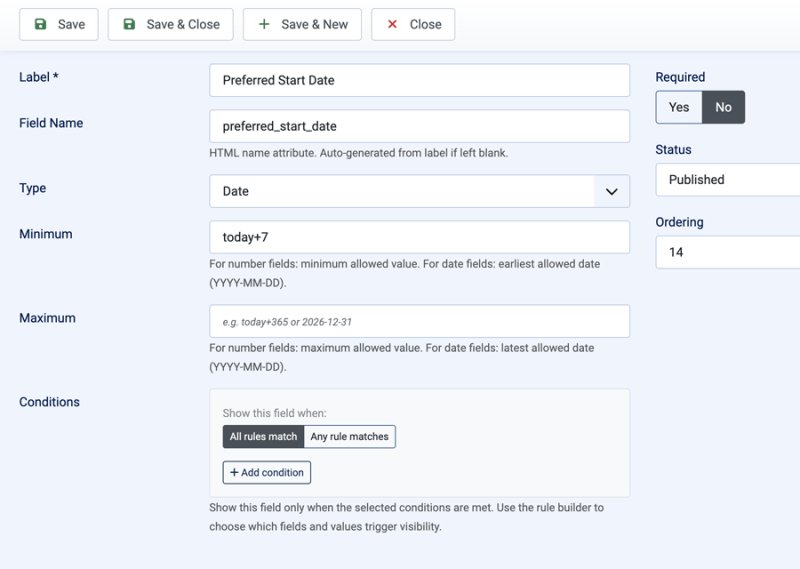
- Relative date min/max — the Date field now accepts relative values for Min Value and Max Value:
today,today+7,today+30,today-1etc. The date is resolved at render time, so a value oftoday+7always means seven days from when the visitor loads the form. StaticYYYY-MM-DDdates continue to work as before.
PostBox Pro v1.0.2
Released: 2026-04-27 · Compatibility: Joomla 5.x, 6.x · PHP 8.1+ · Package: pkg_postboxpro_1.0.2.zip
Minor update adding border control to the shortcode.
Improvements
- Shortcode border control — use
{postboxpro 1 border=false}to embed a form without the card border and background; useful when placing a form inside a section or container that already provides its own styling. Accepted values for disabling:false,0,no. Existing shortcodes are unaffected.
PostBox Pro v1.0.1
Released: 2026-04-07 · Compatibility: Joomla 5.x, 6.x · PHP 8.1+ · Package: pkg_postboxpro_1.0.1.zip
Bug fix release.
Fixes
- Token validation failing on cached sites — form submission was rejected on sites with aggressive full-page caching because the Joomla form token was being cached along with the page; the token is now fetched dynamically on submit
- Minor admin UI polish on the submissions list
PostBox Pro v1.0.0
Released: 2026-04-01 · Compatibility: Joomla 5.x, 6.x · PHP 8.1+ · Package: pkg_postboxpro_1.0.0.zip
Initial release of PostBox Pro — a powerful multi-step form builder for Joomla 5 and 6.
Included in this release
- com_postboxpro — Component with admin dashboard, form builder, field manager, submissions manager, and import tool