
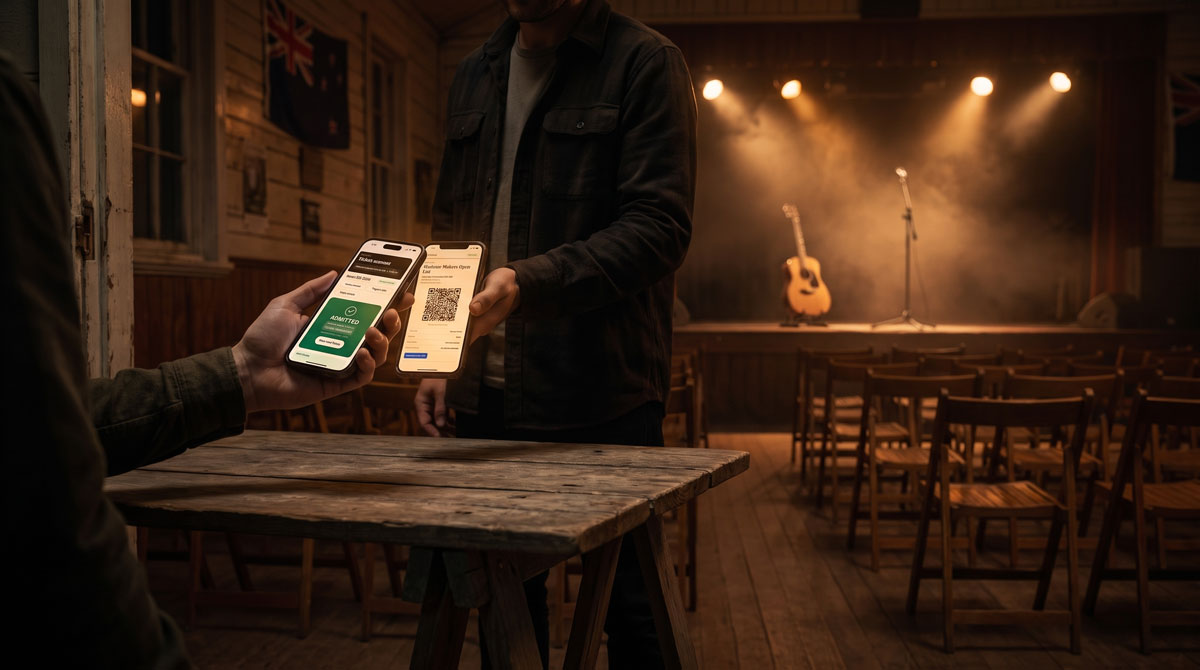
On Saturday 15 August, six singer/songwriters took the stage at Waipara Memorial Hall in North Canterbury for The Showcase - an evening of all-original music presented by Terry Walls. Every ticket for that night was sold, emailed and scanned at the door through TicketLab Pro, a Joomla extension I built for the event.
This post covers how that came about, what the night taught me, and what TicketLab and TicketLab Pro do now.
What the Showcase Needed
Terry needed a website for the night and a way to sell tickets through it. The requirements were specific:
- Adult tickets and a 16-and-under pre-sale ticket at different prices
- A line-up page introducing all six acts
- Online sales that closed at 5:45pm on the night, with door sales after that
- Individual QR tickets that volunteers could check at the hall door on their phones
The usual answer is an external ticketing platform. They work, but the event ends up split across two places - the show's own website and someone else's checkout, with their branding, their emails and their fees. For a community show where $5 from every ticket was going to a local charitable cause, keeping everything on one site was the cleaner option. The site was already on Joomla, so the tickets belonged there too.
Building Around a Real Date
Building for an actual event sharpens priorities quickly. A feature list is easy to write. A Saturday night with a queue at the door is less forgiving.
The parts that had to work on the night got the most attention: the ticket arriving by email, the mobile ticket opening cleanly on any phone, and the scanner giving a volunteer an instant, unambiguous answer. That focus is still visible in TicketLab today - the scanner doesn't just say yes or no, it tells the person on the door whether a ticket is valid, already used, refunded, invalid or for a different event. And if a code won't scan, they can search for the attendee by name instead.
The Night Itself
The Showcase wasn't a sell-out, but the night itself went really well - and door check-in worked well too, with one exception.
One of the volunteers had an older phone whose camera wouldn't reliably read the QR codes. For a few minutes it looked like a scanning problem. It wasn't - it was the phone. Once we worked that out, check-in ran smoothly.
It's a small thing, but it's the kind of lesson you only learn at a real event. If you're running door check-in with volunteers, test every device that will be scanning before the doors open, and have a backup. TicketLab Pro can print an offline door list for exactly that situation.
What Changed After the Showcase
The Showcase was a single-night gig, but the requests that came next were for conferences - events where you need to know more about each attendee than their name. Most of the updates since have focused there.
TicketLab Pro now supports custom registration fields at both order and attendee level - text, email, phone, choices and checkboxes - so a conference can collect things like organisation, session choices or dietary requirements per person. It also supports multiple organisers per event, each with a frontend dashboard to see sales, export attendees and open the scanner, without needing access to the Joomla administrator.
TicketLab or TicketLab Pro?
There are two versions, and the free one isn't a demo.
TicketLab (free)
If your events are free to attend - community gatherings, open days, workshops, free performances - TicketLab covers the whole journey from booking to door:
- Events list, single-event and line-up pages through Joomla menu items
- Multiple free ticket types with capacities, quantity limits and booking windows
- Individual QR tickets by email, with mobile ticket pages and printable PDFs
- Mobile QR scanning and manual attendee search at the door
- Booking and attendee lists with CSV export, plus complimentary tickets
- A frontend organiser dashboard, and Line-up, Promo and Event Bar modules
TicketLab Pro
Pro is for when you're charging for tickets or need more control over registration. It adds:
- Paid ticket sales through Stripe Checkout, alongside free tickets
- Custom order and attendee registration fields
- Multiple organisers per event, who can manage their events and ticket types
- Waitlist and interest capture
- Discount codes and paid add-ons such as merchandise or sponsorship
- Event mailouts to ticket holders
- Stripe refunds and sales and attendance reports with PDF export
TicketLab Pro is US$29 a year for updates and priority support. If you don't renew, it keeps working.
Who It's For
TicketLab is built for events that are too small or too local to justify handing everything to a large ticketing platform: small venues, community theatre, school productions, church and charity events, fundraisers, festivals and conferences. If your site already runs on Joomla, your event pages, tickets, attendee lists and reporting can all live in one place you control.
To be upfront: TicketLab is still pre-1.0. It has run a real paid event from first sale to final check-in, and it's under active development, with each release shaped by how people are actually using it. It needs Joomla 5.4 or 6.1, PHP 8.3+, HTTPS for live checkout and camera scanning, and a Stripe account if you're selling paid tickets.
Final Thoughts
Most of my extensions start the same way - a client needs something specific, and the existing options don't quite fit. TicketLab started with six acts and one country hall. If you're planning events for the summer season, it's worth a look.
Download TicketLab (free) · Get TicketLab Pro
Thanks to Terry Walls for letting me share the story of The Showcase.