
Includes: Component, Site Module, Plugin
GalleryLab Pro
Professional media galleries for Joomla 5 and 6 - with polished gallery pages, grid/masonry/justified/video layouts, lightbox viewing, slideshow and sharing controls, tags, search, Quick Add media-folder importing, CSV image detail updates, Free-to-Pro import tools, gallery listings, custom CSS, and a flexible Showcase module for slideshows, sliders, carousels, and featured image blocks.
Build visual portfolio galleries, product showcases, venue galleries, project case studies, event albums, and homepage media sections without a custom gallery build. Manage galleries, images, video items, tags, captions, display settings, imports, and presentation modules in Joomla, then publish them as menu items, gallery listings, or module-based showcases.

About this Extension
GalleryLab Pro is a professional media gallery and showcase extension for Joomla 5 and 6. Create polished image galleries, portfolio pages, project showcases, event galleries, product media displays, and homepage visual sections from a Joomla-native component and module package.
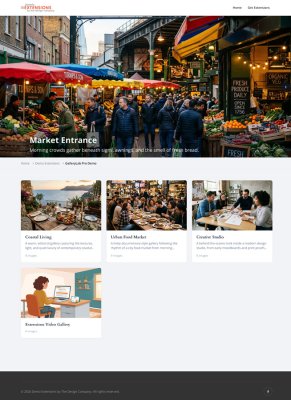
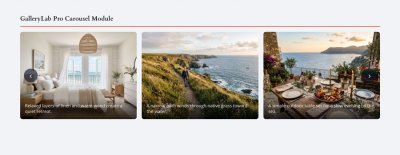
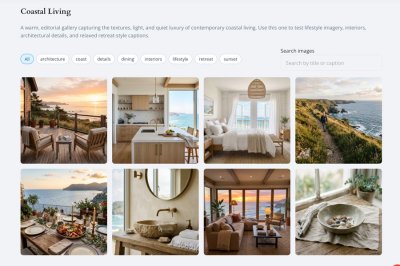
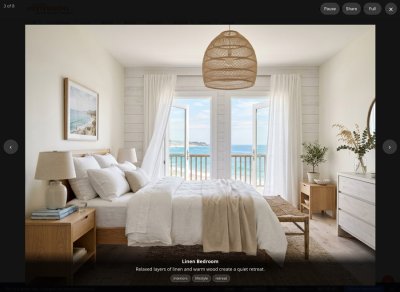
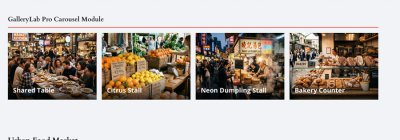
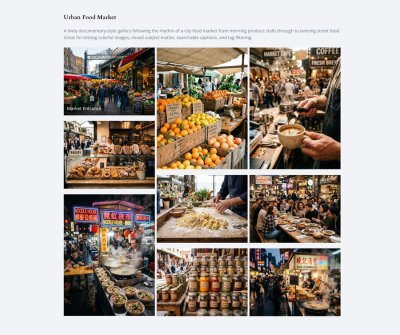
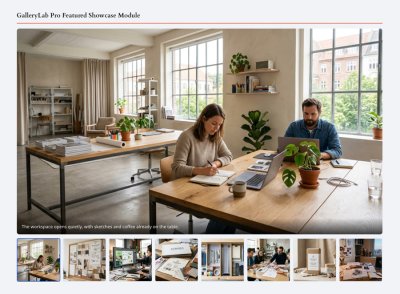
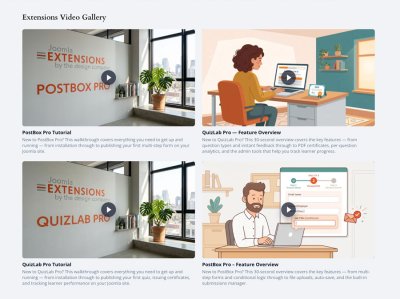
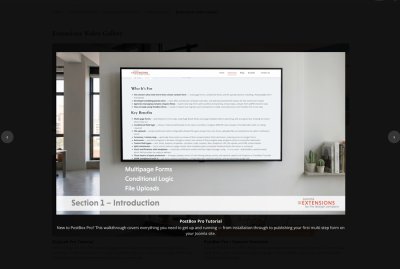
See GalleryLab Pro in action

Who It’s For
- Creative studios and agencies — publish portfolio galleries, case studies, campaign imagery, and visual project archives without building a custom gallery system.
- Venues, hospitality, and event sites — present spaces, menus, events, rooms, facilities, and atmosphere through responsive galleries and homepage showcase modules.
- Product and e-commerce sites — build visual product galleries, lookbooks, launch galleries, and feature carousels that link visitors back to the full gallery or media item.
- Designers and site builders — manage galleries, images, captions, tags, cover images, ordering, frontend routes, and module presentations directly inside Joomla.
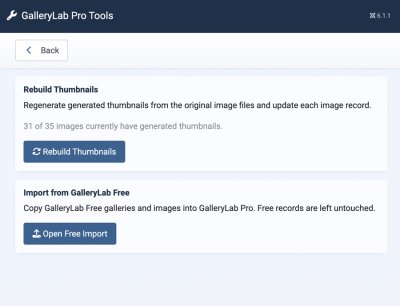
- Existing GalleryLab users — import GalleryLab Free galleries into Pro while keeping the original Free data untouched.
Key Features:
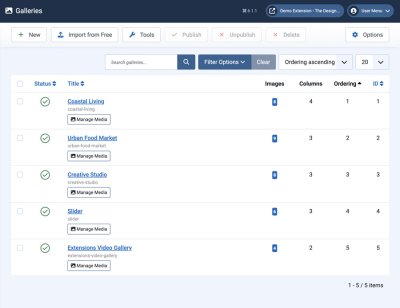
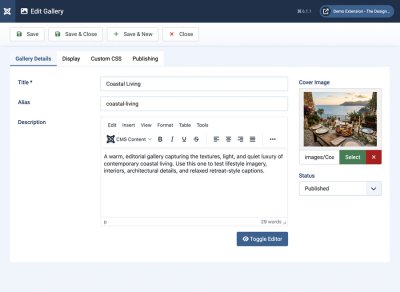
- Joomla-Native Gallery Management - create galleries and manage image records from familiar Joomla administrator screens.
- Responsive Frontend Gallery Pages - publish individual gallery pages with responsive image output, titles, captions, and lightbox-ready media.
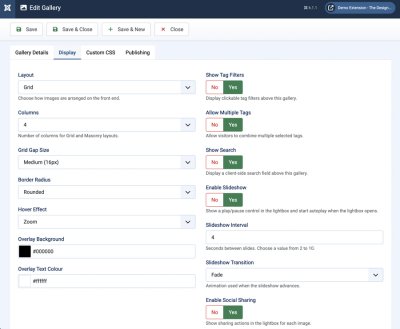
- Multiple Gallery Layouts - choose grid, masonry, justified, or video gallery layouts per gallery.
- Gallery Listing View - create a browsable index of published galleries using cover images, descriptions, and image counts.
- Lightbox Presentation - let visitors open gallery images in a focused viewing experience with navigation and captions.
- Lightbox Slideshow and Sharing - add play/pause slideshow controls, fullscreen viewing, and optional sharing actions.
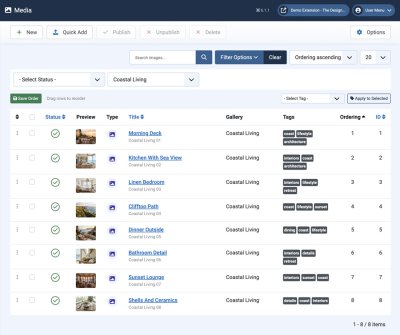
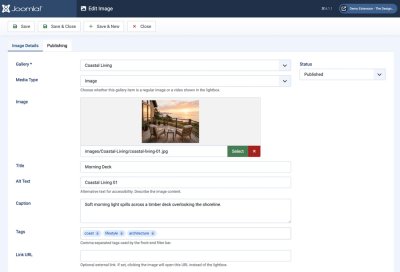
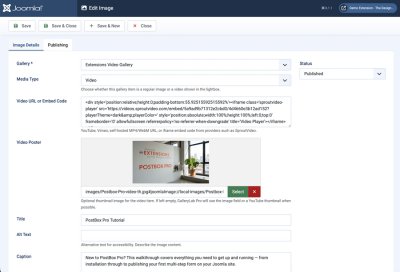
- Image Metadata - manage title, alt text, caption, tags, ordering, media type, link URL, thumbnail path, and publication state per image.
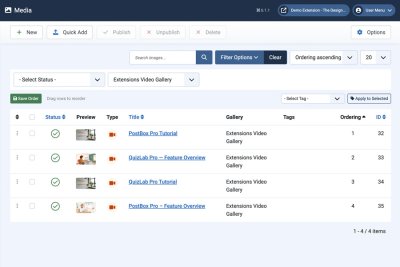
- Video Items - add video media records with YouTube, Vimeo, embed, or self-hosted video sources and poster images.
- Quick Add From Media Folders - preview and import multiple images from Joomla Media Manager folders, with optional subfolder scanning and duplicate handling.
- Image Tags, Filters, and Search - organise media by campaign, product range, project, room, event type, featured status, or any editorial grouping, then enable frontend filters and search.
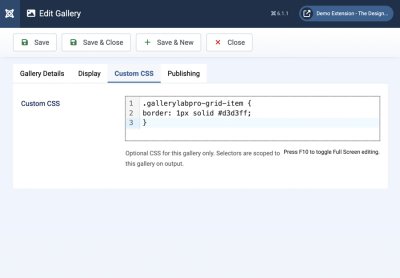
- Custom CSS Per Gallery - add scoped CSS for individual galleries without editing extension files.
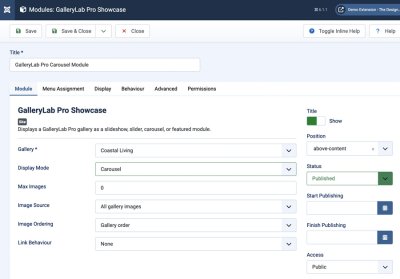
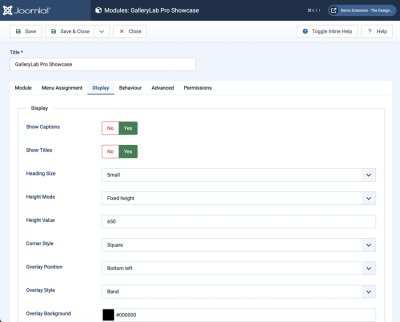
- Showcase Module - publish gallery-driven slideshows, sliders, carousels, and featured image blocks in Joomla module positions.
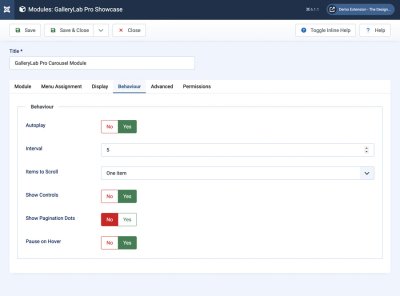
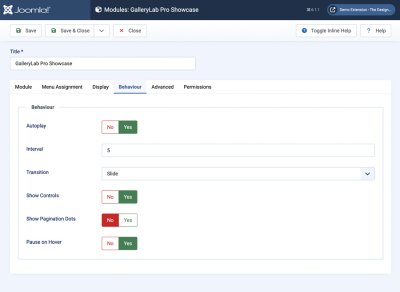
- Slideshow Mode - show one image at a time with autoplay, controls, dots, captions, title overlays, and fade or slide transitions.
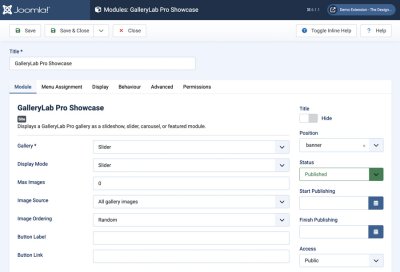
- Slider Mode - create hero-style image sections with overlay text, overlay styling, canvas width, and optional call-to-action buttons.
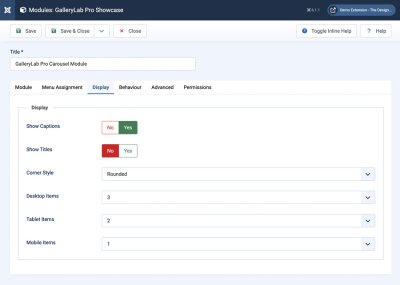
- Carousel Mode - display multiple images per view with responsive desktop, tablet, and mobile item counts.
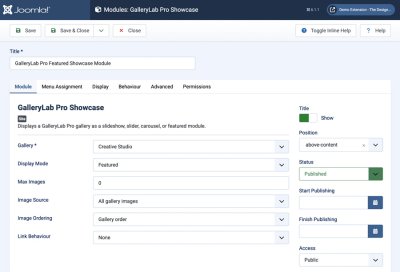
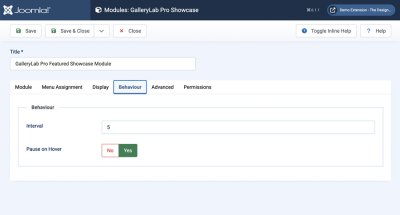
- Featured Mode - display one large primary image with thumbnail buttons underneath for product highlights, portfolio teasers, and visual landing sections.
- Showcase Image Source Controls - show all gallery images, move the cover image first, or show only tagged images.
- Showcase Ordering Controls - use gallery order, reverse order, title order, newest, oldest, or random image ordering.
- Menu-Aware Full Gallery Links - Showcase links that open the full gallery use the matching Joomla gallery menu item when one exists.
- Free-To-Pro Import - copy existing GalleryLab Free galleries and images into GalleryLab Pro without modifying the Free tables.
- Licence Sync Support - save a licence key in the component options and let the system plugin sync it to the Joomla update site.
How It Works:
- Create a GalleryLab Pro gallery for the media collection you want to publish.
- Choose the gallery layout and display options.
- Add images manually or use Quick Add to import multiple files from a Joomla Media Manager folder.
- Review titles, alt text, captions, tags, ordering, video settings, and publication state.
- Create a Gallery menu item for a dedicated public gallery page, or create a Galleries menu item for an index of multiple galleries.
- Add a GalleryLab Pro Showcase module when you need a slideshow, slider, carousel, or featured visual block in a template position.
- Choose image source, ordering, captions, overlays, transitions, controls, responsive item counts, and link behaviour.
- Visitors browse the gallery, open images in a lightbox, move through showcase presentations, or click through to the full gallery page.
Built For Visual Joomla Sites
GalleryLab Pro is focused on polished media presentation: galleries, lightboxes, listings, image metadata, tags, import tools, and module-based showcase layouts. It is ideal when a site needs public-facing media galleries and visual landing sections, not a heavy digital asset manager or client proofing workflow.
Protected delivery, paid downloads, private proofing, watermarking, and client approval workflows belong in specialist tools. GalleryLab Pro keeps its scope clear: help Joomla sites display media beautifully and manage it efficiently.
Built for Joomla 5 and 6 using Joomla’s native extension architecture, GalleryLab Pro keeps gallery management inside Joomla while giving site owners the presentation tools usually handled by custom templates, page builders, or one-off slideshow scripts.
Free vs Pro
| Feature | GalleryLab Free | GalleryLab Pro |
|---|---|---|
| Joomla 5 and 6 support | Yes | Yes |
| Responsive gallery grid | Yes | Yes |
| Gallery listing page | Yes | Yes |
| Lightbox viewing | Yes | Yes |
| Quick Add from media folders | Yes | Yes, with preview, subfolder scanning, and duplicate handling |
| CSV import for image details | No | Yes, with sample CSV download, preview, and matched-row updates |
| Free-to-Pro import | No | Yes |
| Image tags and filtering | Limited | Yes |
| Mixed media/video support | No | Yes |
| Masonry and justified layouts | No | Yes |
| Showcase slideshow module | No | Yes |
| Showcase slider module | No | Yes |
| Showcase carousel module | No | Yes |
| Featured showcase module | No | Yes |
| Custom CSS per gallery | No | Yes |
| Copy display settings and custom CSS between galleries | No | Yes, to one or more galleries |
| Social sharing | Basic | Yes |
| Licence-protected updates | No | Yes |
Releases
New Features
Start a new gallery from existing settings.
Flexible image title sources.
Changelog
- When creating a gallery, select Start with settings from... to load an existing gallery's display settings and custom CSS into the new form, then adjust them before saving.
- The new gallery keeps its own title, alias, description, cover image, media, and publication choice.
- Added a gallery default for using the saved image title, filename, gallery title, or no visible title.
- Added a per-image override that can inherit the gallery default or select any title source independently.
- Captions and alternative text remain independent, so an image can show a caption without a title.
- The No title choice also suppresses the visible lightbox heading; alternative text is not reused as a heading.
- Existing galleries continue to use their saved image titles after upgrading.
New Features
Copy gallery settings to other galleries.
Flexible image title sources.
Changelog
- Added a Copy settings to galleries action to saved gallery records.
- Select one or more destination galleries and copy display and behaviour settings, custom CSS, or both.
- Gallery content, media, publication state, and URLs remain unchanged.
- Locked destinations are excluded, and the copy is applied as one transaction.
- Added a gallery default for using the saved image title, filename, gallery title, or no visible title.
- Added a per-image override that can inherit the gallery default or select any title source independently.
- Captions and alternative text remain independent, so an image can show a caption without a title.
- The No title choice also suppresses the visible lightbox heading; alternative text is not reused as a heading.
- Existing galleries continue to use their saved image titles after upgrading.
New Features
Custom CSS recipe grid.
Changelog
- Added a compact grid of recipe cards beside the gallery Custom CSS editor.
- Added one-click insertion for ready-to-use examples covering thumbnail aspect ratios, uncropped images, borders, custom corner radii, item spacing, always-visible title overlays, and gallery heading styles.
- Multiple snippets can be appended to the editor, while unchanged duplicate snippets are detected and skipped.
- Examples are safely targeted to the appropriate gallery layouts and use GalleryLab Pro's existing per-gallery CSS scoping.
- Added the same examples to the user documentation for easy sharing with customers.
- Corrected the complete-image example so cards follow the displayed image height and title overlays remain aligned with the image edge.
Improvements
Shortcode gallery title visibility.
Changelog
- Added support for `title=0` in `{gallerylabpro ...}` shortcodes to hide the gallery title header on embedded galleries.
- Also accepts `title=false`, `title=no`, and `title=off` for the same title-hidden behaviour.
- Existing shortcodes continue to show gallery titles by default.
Image ordering now saves automatically after drag-and-drop reordering in the admin image list.
Improvements
CSV image details import.
Changelog
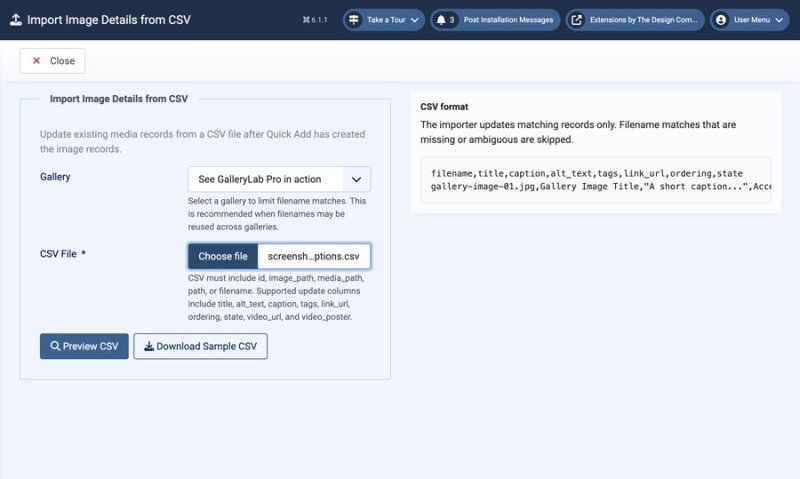
- Added an Import CSV workflow to the Media manager for updating existing image details after Quick Add.
- Added a sample CSV download with supported columns.
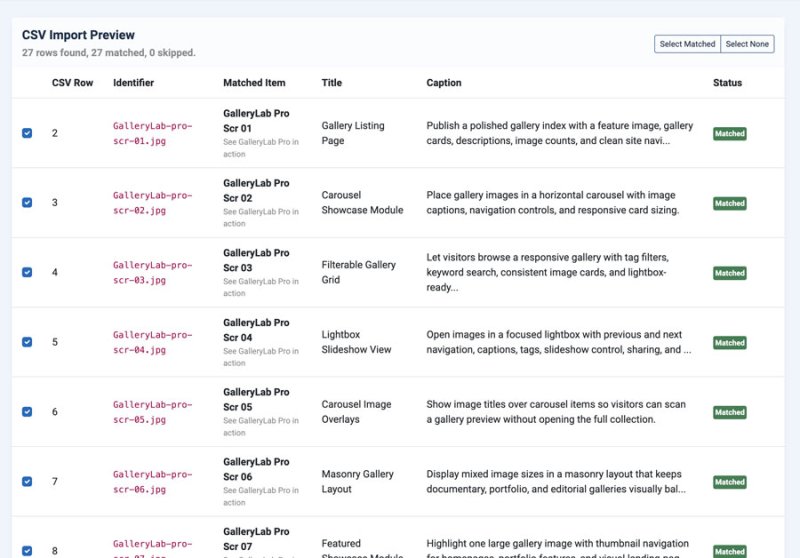
- Added a preview step showing matched and skipped rows before records are updated.
- CSV import can update titles, alt text, captions, tags, link URLs, ordering, publication state, and video metadata.
Improvements
Showcase full-gallery routing.
Featured showcase hover stability.
Changelog
- Showcase links using the "Open full gallery" behaviour now look for a matching GalleryLab Pro Gallery menu item.
- When a matching menu item exists, the generated link includes the gallery Itemid so Joomla opens the correct menu-backed URL.
- If no matching menu item exists, the link falls back to the component gallery route.
- Improved featured primary image hover compositing so the image remains visible during the hover zoom transition.
- Added reduced-motion coverage for the featured image transition.