
Includes: Component, Site Module, Plugin
MapLab Pro
Professional location maps for Joomla 5 and 6 - with multiple map datasets, custom fields, address/place search, territory markers, region filtering, marker clustering, CSV import/export, searchable card grids, marker styling, and SEO-friendly location pages.
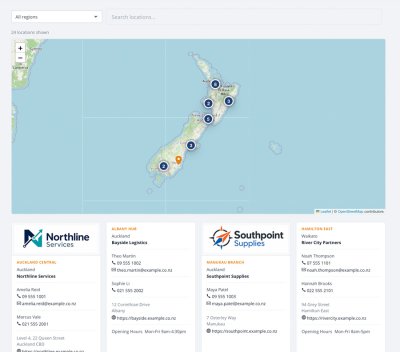
Build polished dealer locators, branch directories, stockist maps, service centre finders, venue maps, or territory directories without a custom map build. Manage maps, regions, locations, address destinations, additional territory markers, and fields from Joomla, then publish the frontend as a menu item or module.
About this Extension
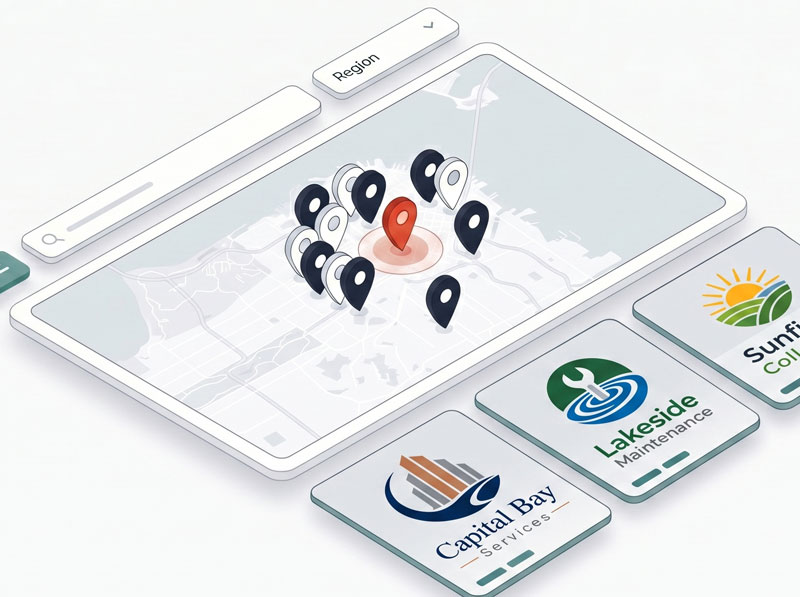
MapLab Pro is a professional location map and directory component for Joomla 5 and 6. Create searchable, filterable maps for branches, stockists, dealers, offices, service centres, venues, territories, or any location-based directory.
See MapLab Pro in action
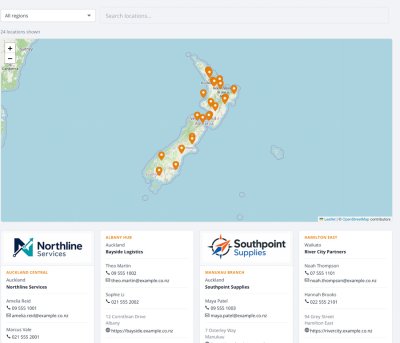
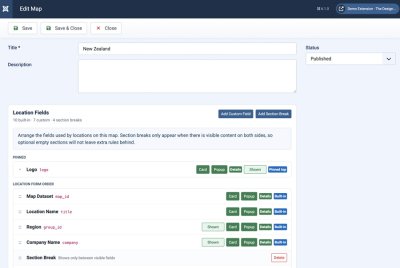
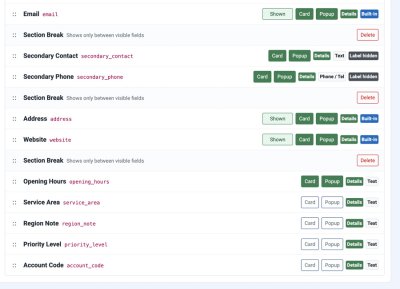
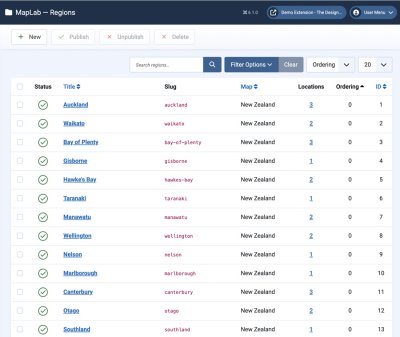
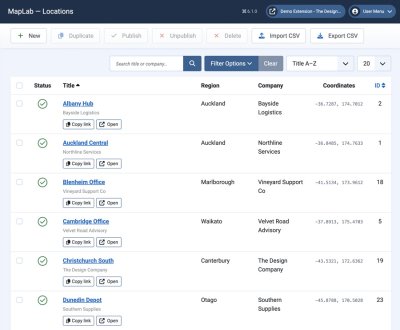
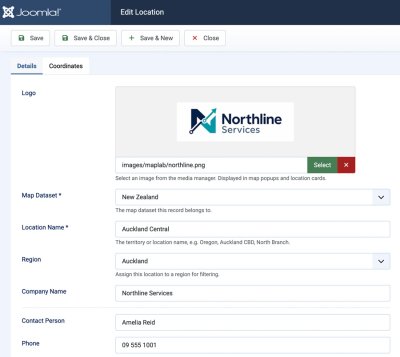
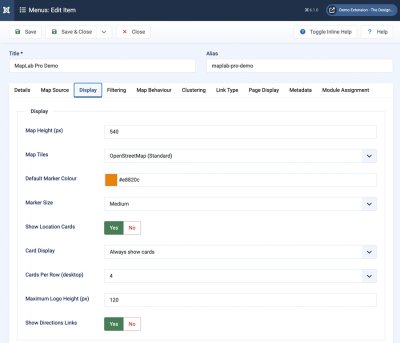
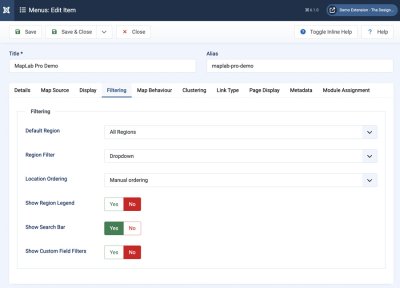
Who It’s For
- Businesses with dealer or stockist networks — help visitors find the right location by region, search, and map browsing
- Multi-location organisations — manage branches, offices, clinics, venues, service areas, or pickup points in one Joomla-native component
- Agencies building client sites — deliver a polished location finder with flexible fields, address/place search, territory markers, CSV import/export, marker styling, and no custom build required
- Franchise and service businesses — display contact details, logos, staff contacts, directions links, and custom location metadata
- Joomla developers — use a clean component/module package with template-friendly frontend output and structured administrator workflows
Key Features:
- Multiple Map Datasets - create separate maps for branches, dealers, service centres, stockists, events, or brands.
- Map-Scoped Regions - manage filter regions per map, with map filtering and map names in the Regions admin list.
- Address & Place Search - store formatted addresses, Google Place IDs, and address coordinates while keeping manual coordinate entry available.
- Multiple Markers Per Location - add territory, branch, or coverage-area markers under one parent location, with optional marker region and contact overrides.
- Unified Location Field Builder - manage built-in and custom fields directly on the map edit page; reorder fields, hide optional fields, copy custom fields to other maps, and add section breaks.
- Custom Fields - add extra location data per map and control whether fields appear on forms, cards, and popups.
- CSV Import & Export - import locations with preview, Append/Update/Replace modes, optional region creation, optional custom field creation, and useful warning checks.
- Search & Filtering - show search inline with a region dropdown or region buttons, plus optional custom field filters.
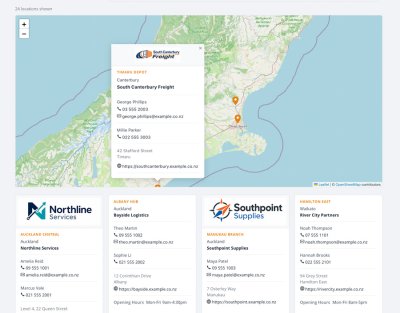
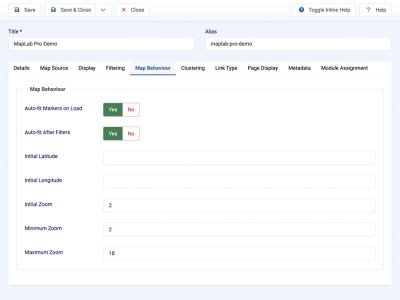
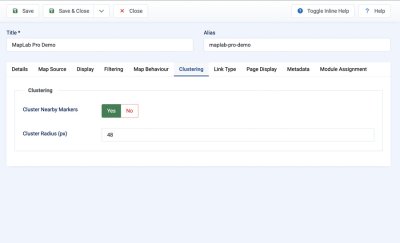
- Marker Clustering - group nearby markers and control clustering radius from menu item or module settings.
- Marker Styling - configure marker colour and size, with region-aware styling support.
- Card Grid Controls - choose the number of card columns and cap logo height for tidy frontend layouts.
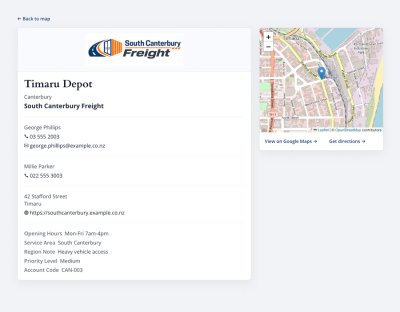
- SEO Location Pages - publish individual location pages with structured data where location information is available.
- Data Health - audit and repair common data integrity issues after imports, duplication, deletion, or upgrades.
- Frontend Module - publish maps as full menu item pages or module instances in any Joomla module position.
- Responsive Frontend - maps, filters, cards, and popups are designed to work across desktop, tablet, and mobile.
How It Works:
- Create a map dataset for the location directory you want to publish.
- Add regions for filtering, such as Auckland, Canterbury, Wellington, or North Island.
- Configure the map’s location fields, including built-in fields, custom fields, labels, and section breaks.
- Add locations manually or bulk import from CSV.
- Add address destinations and optional territory markers where one parent location needs several pins.
- Create a MapLab Pro menu item or module and choose frontend display settings.
- Visitors search, filter, browse the map, open popups, and view location cards or location detail pages.
Built for Joomla 5 and 6 with Joomla’s native MVC architecture and a bundled Leaflet-based frontend. MapLab Pro keeps location management in Joomla while giving site owners the flexibility usually reserved for custom-built store locators.
Free vs Pro
| Feature | Free | Pro |
|---|---|---|
| Single location map | ✓ | ✓ |
| Joomla 5 and 6 support | ✓ | ✓ |
| Multiple map datasets | — | ✓ |
| Custom location fields | — | ✓ |
| Address/place search and destination links | — | ✓ |
| Multiple territory markers per location | — | ✓ |
| CSV import and export | Import | Import and export |
| Marker clustering and styling | — | ✓ |
| SEO-friendly location pages | — | ✓ |
| Support | Basic | Priority |
Releases
Improvements
Google Maps API location addresses and multiple marker territories.
Changelog
- Added component configuration for a Google Maps API key used by address/place search in the location editor.
- Added address destination fields for formatted address, Google Place ID, and address latitude/longitude.
- Added a location editor address workflow with optional Google Places autocomplete, manual address entry, Google Maps destination preview links, and a Leaflet position preview.
- Added marker position controls so the visible map pin can use the address position or a manually entered marker position.
- Latitude and longitude fields now accept pasted coordinate pairs such as `34.3304040, -111.6698599` and split them into the separate coordinate fields.
- Added support for additional marker records under one parent location for territories, branches, and representative coverage areas.
- Additional markers can store marker name, territory name, marker region override, coordinates, contact overrides, notes, and publication state.
- Additional marker cards now appear alongside parent location cards and sort alphabetically by the displayed territory/location label.
- Additional marker popups and cards now use marker-specific territory/contact data while retaining the correct parent address and detail link behaviour.
- Region filtering now uses a marker's own Marker Region when set, otherwise it falls back to the parent location region. This allows a parent location to appear in its own region while extra markers appear in their assigned regions.
- Google Maps links now prefer the parent location destination in this order: Google Place ID, formatted address, address coordinates, then marker coordinates as a final fallback.
Fixes
Region assignment visibility.
Changelog
- Region is now treated as a required structural location field, alongside Map Dataset and Location Name.
- This prevents the Region selector from disappearing from the location edit screen when a map's field layout has hidden optional built-in fields.
Fixes
Confirmed Back to map fix for cached article embeds.
Changelog
- Fixed a reproduced issue where a MapLab Map module embedded in a Joomla article with {loadposition} could still send "Back to map" to a raw /component/maplabpro/... URL.
- Location Details now falls back to the saved "Back to Map URL" from a published MapLab Map module using the same map dataset.
- This covers cached article/module output where Joomla, LiteSpeed, or SEF caching can serve the module HTML without running the module code that remembers the return URL for the visitor's session.
- Clean Details URLs are preserved; the return URL does not need to be exposed as a public query string.
Fixes
Cleaner module location detail URLs and module map loading in article embeds.
Changelog
- Module-generated location Details links now keep the return target server-side instead of adding a visible mlp_return query string.
- The Details page still understands older mlp_return links, but newly generated module links stay clean.
- "Back to map" continues to return to the embedded article/module page after visitors click through from the module.
- The MapLab Pro Map module now loads Leaflet CSS and JavaScript itself.
- This fixes embedded module pages where the map controls/cards render but the actual Leaflet map does not initialise.
Fixes
Module-embedded map return links
Changelog
- Location detail links generated by the MapLab Pro Map module now carry a safe return target.
- When the module is embedded in an article, "Back to map" returns to the article page by default instead of falling back to a raw component URL.
- Added an optional module parameter, "Back to Map URL", for sites that want a specific return page per module instance.
Fixes
Menu-aware location detail routing.
Changelog
- Location detail links now prefer the active Map menu item when it points to the same map.
- The "Back to map" link on location detail pages now keeps the visitor under the correct map menu alias where possible.
- This avoids Joomla falling back to raw component URLs such as `/component/maplabpro/2` on sites where the broader menu lookup does not find the matching Map menu item.
Improvements
Readable location detail URLs.
Changelog
- Location links now include the location name after the ID, for example `/location/23-dunedin-depot`.
- Canonical URLs, structured data, map popups, cards, and module links all use the same readable location route.
- Existing numeric URLs such as `/location/23` still resolve.
Improvements
CSV import preflight warnings.
Changelog
- Added CSV preview warnings for missing title/location name columns.
- Added duplicate header detection.
- Added ignored column and new custom field column warnings.
- Added warnings for empty location names, invalid-looking emails, invalid-looking websites, and invalid coordinates.
- Added matching server-side warnings after import.
- Invalid latitude/longitude values are ignored instead of being silently imported as `0`.
What's New
Initial MapLab Pro package
Changelog
- Added multiple map datasets.
- Added regions, locations, frontend map view, and module display.
- Added per-map field layout and custom fields.
- Added CSV import/export.
- Added marker styling, clustering, cards, popups, and frontend filtering.
- Added SEO-friendly location pages.