
Includes: Component, Site Module
MapLab
Display filterable location maps on any Joomla site — no Google API key, no dependencies, no complexity.
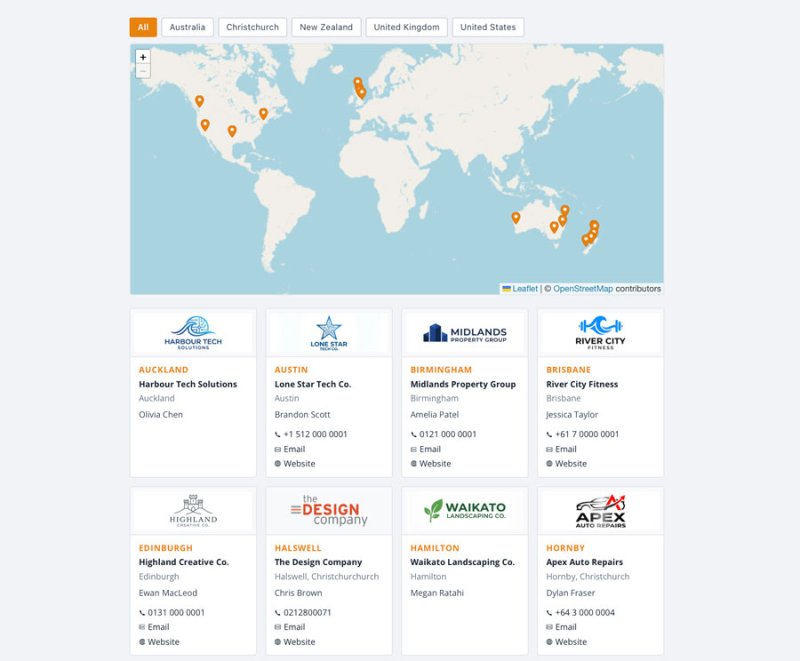
Add an interactive map with group filter buttons and a location card grid to show dealers, agents, stockists, service centres, offices, or any collection of locations your visitors need to find.

About this Extension
MapLab is a lightweight Joomla location map extension for websites that need to display and organise collections of locations — dealer networks, service centres, stockists, offices, branches, or any “find a location near you” use case. It gives you an interactive, filterable Leaflet map with a location card grid, managed entirely from the Joomla admin panel.
Built for Joomla 5 and 6, MapLab requires no Google API key and no third-party dependencies. Add a map to any page as a module or a full-page menu item, filter locations by group, and give visitors clean card-style location details — all with a lightweight, Joomla-native setup.
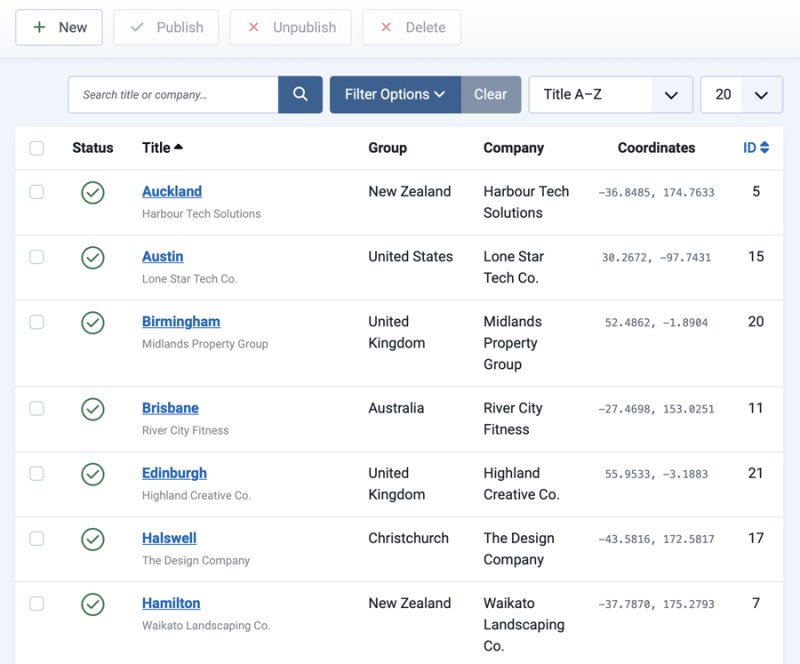
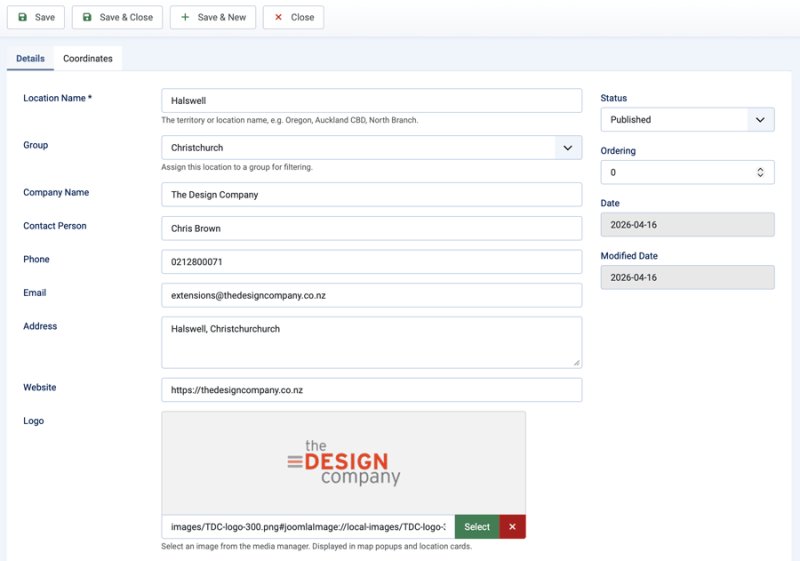
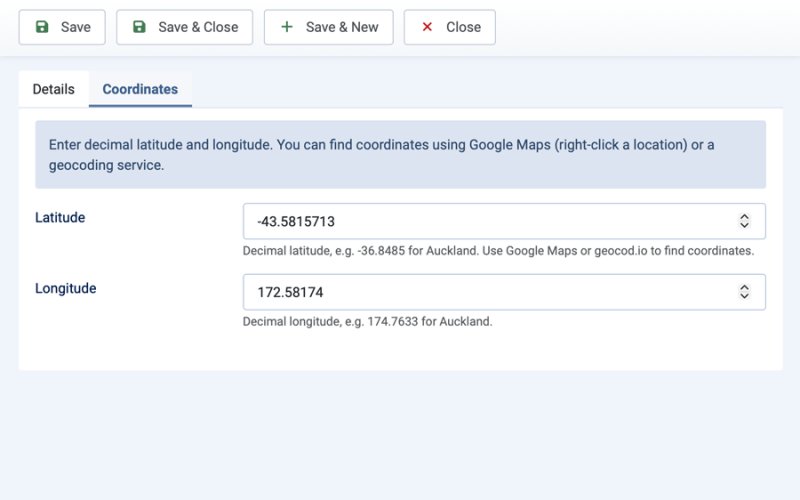
See MapLab in Action
Who It’s For
- Businesses with dealer or agent networks — display your distribution network with filterable group buttons
- Multi-location and franchise businesses — let customers find their nearest branch or service centre
- Retailers and distributors — show stockists, resellers, or collection points on an interactive map
- Agencies — deploy a polished location finder on client sites without API keys or heavy dependencies
- Any site needing a “find us” map — events, venues, service areas, pickup points, and more
Key Benefits
- No Google API key required — uses OpenStreetMap tiles via Leaflet, so there are no billing accounts, usage limits, or API configuration to worry about
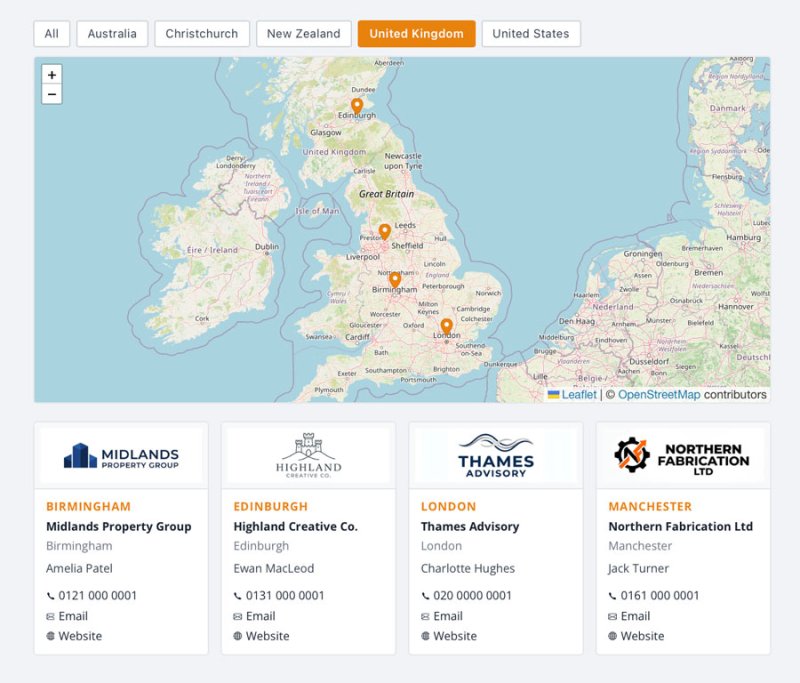
- Filter by group — organise locations into groups (regions, types, brands) and let visitors filter the map and card grid with a single click
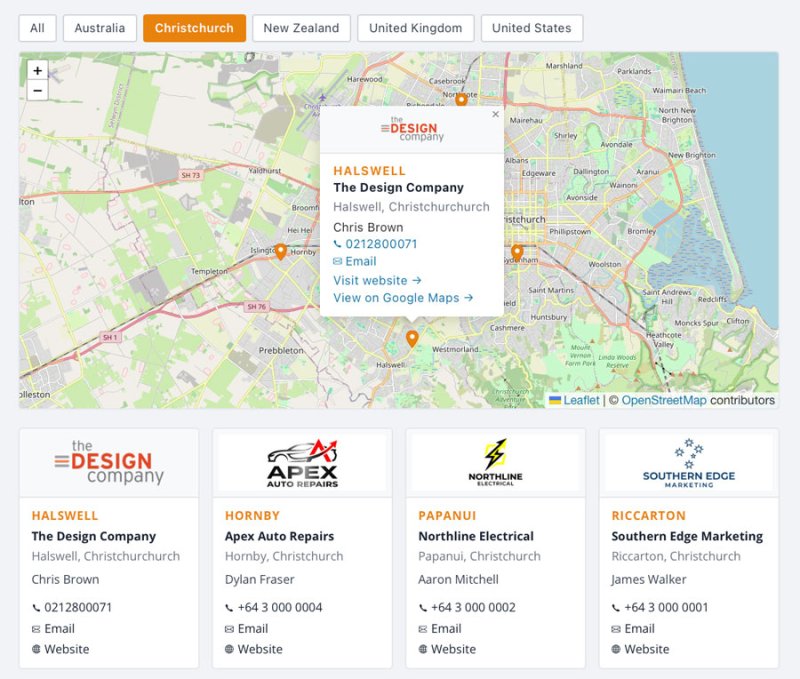
- Map and card grid together — markers and location cards update simultaneously, giving visitors two ways to browse your locations
- Manage everything in the admin — add and edit locations, groups, logos, contact details, and coordinates from a clean Joomla backend interface
- Flexible display options — use as a module in any page position or as a full-page menu item; configure height, marker colour, default group, and card layout per instance
- Stay lightweight — no jQuery, no Bootstrap dependencies in the frontend output; vanilla CSS and JS scoped to the map wrapper
How It Works
- Install the package and go to MapLab → Groups in the admin panel.
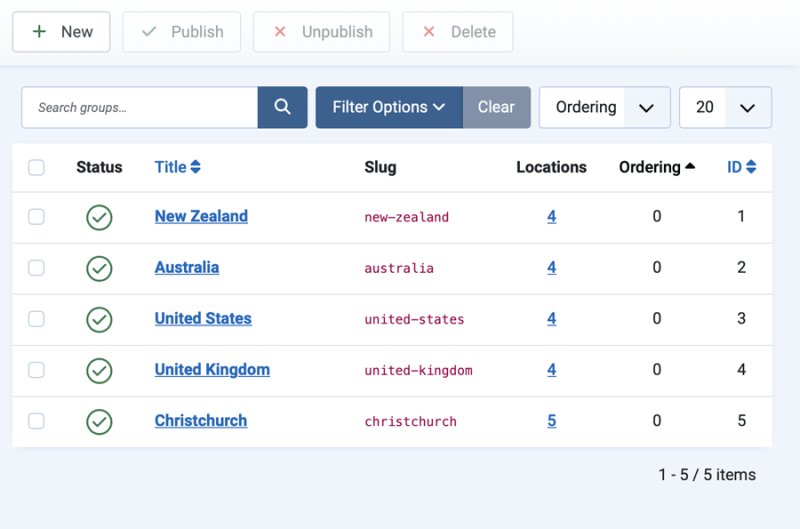
- Create your groups — regions, types, or any categories that make sense for your locations (e.g. North Island, South Island).
- Go to MapLab → Locations and add your locations — enter a title, assign a group, set the latitude and longitude, and fill in contact details as needed.
- Add a MapLab — Map module to a page position, or create a menu item using the MapLab → Location Map type.
- Visitors see an interactive Leaflet map with filter buttons and a card grid — clicking a group button updates both instantly.
Built on Joomla’s native MVC architecture with PSR-4 autoloading. Leaflet 1.9.4 is bundled with the extension — no CDN dependency, no API keys, no build tools.
Free vs Pro
| Feature | Free | Pro |
|---|---|---|
| Joomla 5 and 6 support | ✓ | ✓ |
| Multiple map datasets | — | ✓ |
| Custom location fields | — | ✓ |
| CSV import and export | Import | Import and export |
| Marker clustering and styling | — | ✓ |
| SEO-friendly location pages | — | ✓ |
| Support | Basic | Priority |
Releases
Changelog
- Security: Website URL fields in map popups and location cards now validate that the scheme is `http` or `https` before rendering as a link — prevents `javascript:` or other unexpected URI schemes from being used in href values
- Packaging: Removed macOS AppleDouble (`._*`) metadata files from `com_maplab.zip` and `mod_maplab_map.zip`
- Licensing: Added `LICENSE` (GPL v2) file to the package
What's New
Initial release of MapLab — a lightweight, dependency-free location map extension for Joomla 5 and 6.
Included in this release
- `com_maplab` — Component with full backend data management
`mod_maplab_map` — Frontend map module with Leaflet rendering
Features
- Maps, Groups, Locations — Three-level data model: create named map datasets, organise locations into groups (regions, categories, types), add unlimited location records
- Leaflet 1.9.4 map — Pinned to an exact version, no API key required, OpenStreetMap tiles
- Group filter buttons — Filterable map markers and card grid that update simultaneously; pre-select a group on load
- Location card grid — Responsive 4→3→2→1 column grid below the map; shows logo, company, address, phone, email, and website links with inline SVG icons
- Marker popups — Click any pin to see logo, company, contact details and a Google Maps link; hover/active state swaps marker colour
- Site view + module — Display your map as a Joomla menu item (full page) or as a module in any position; both support the same settings
- Menu item dropdowns — Map and default group selectors are live database dropdowns in the menu item params — no guessing IDs
- Save & New — Group and Location edit forms include a Save & New button for fast sequential data entry
- Location count in Groups list — The Groups admin list shows how many locations are in each group; clicking the count filters the Locations list to that group
- Marker colour picker — Choose your brand colour; pins and hover state are generated automatically
- Vanilla CSS/JS — No jQuery, no Bootstrap dependencies in frontend output; stylesheet scoped to
.maplab-wrap Default Map auto-created — A Default Map (ID 1) is inserted on install so the module works out of the box- Upgrade-safe — `method="upgrade"` on both manifests; reinstalling over an existing version preserves all data
Upgrade Notes
First release — no upgrade path required.
Known Limitations
- One map dataset in the free tier (multiple map support coming in Pro)
- No CSV import in this release (coming in Pro)
- OpenStreetMap tiles only (Google Maps option coming in Pro)