
Includes: Component, Plugin
MetaLab
Bulk-edit every page's browser title, meta description and robots setting in a spreadsheet — no clicking through menu items and articles one at a time, and no SEO suite bolted onto your site.
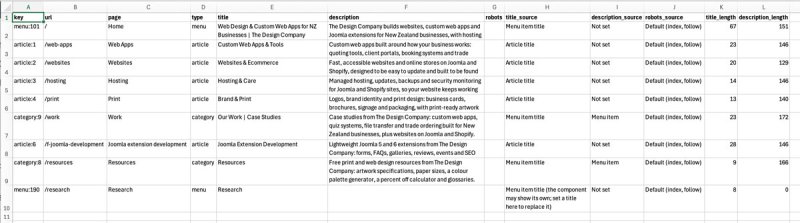
Export a CSV, edit it in Excel or Google Sheets, preview every change and import it back. MetaLab writes each value to the field Joomla actually uses for that page, and any import can be undone.

About this Extension
MetaLab lets you bulk-edit the browser titles, meta descriptions and robots settings of every page on your Joomla 5 & 6 site in a spreadsheet. Export a CSV, edit it, check every change in a preview, and import it back — each value is written to the field Joomla actually uses for that page.
See MetaLab in Action
Key Features:
- One Row per Page — every menu-linked page in one CSV, plus articles without a menu item if you want them. An article linked from two menu items is one row, and its title is kept in step on both.
- Written to the Right Place — MetaLab follows Joomla’s own rules for articles, categories and other pages, so the value you import is the value search engines see. No more guessing whether to edit the article or the menu item.
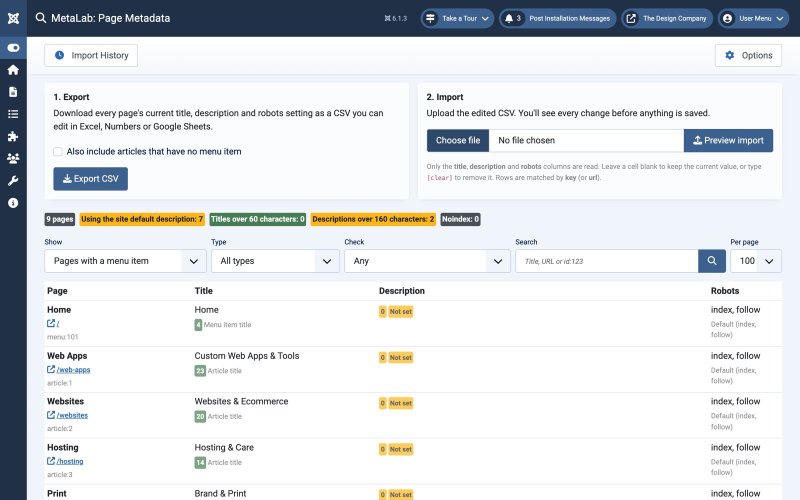
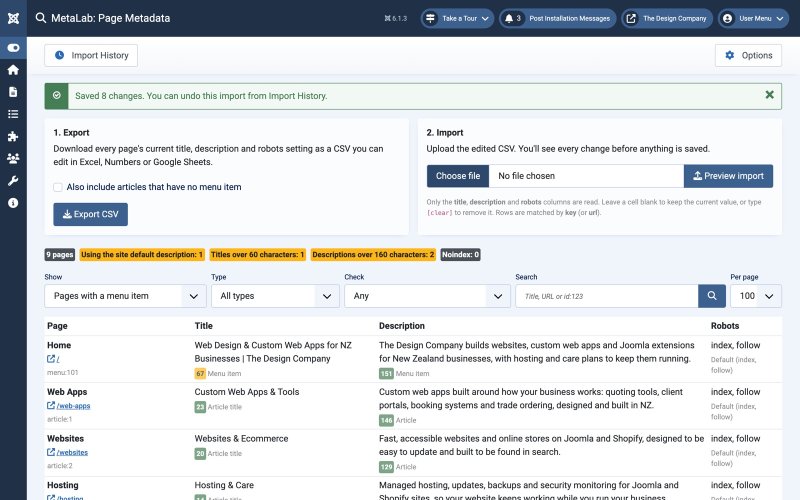
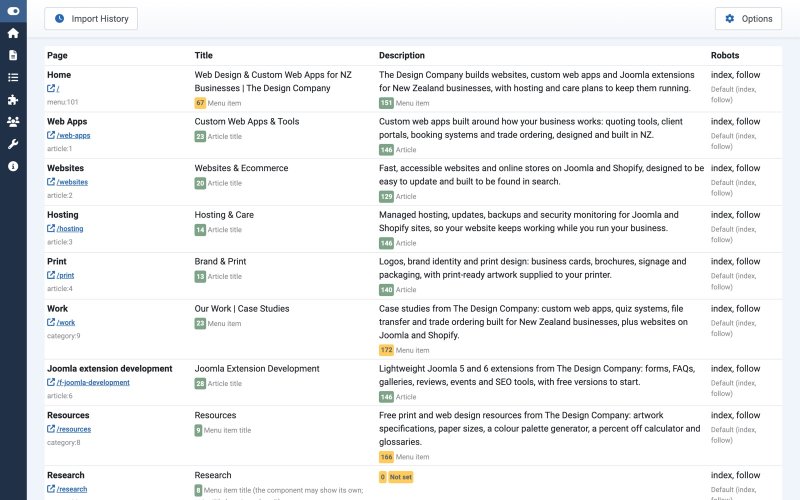
- See Where Values Come From — the Pages screen shows each page’s title, description and robots setting, with character counts and whether each comes from the menu item, the article, the category or the site default.
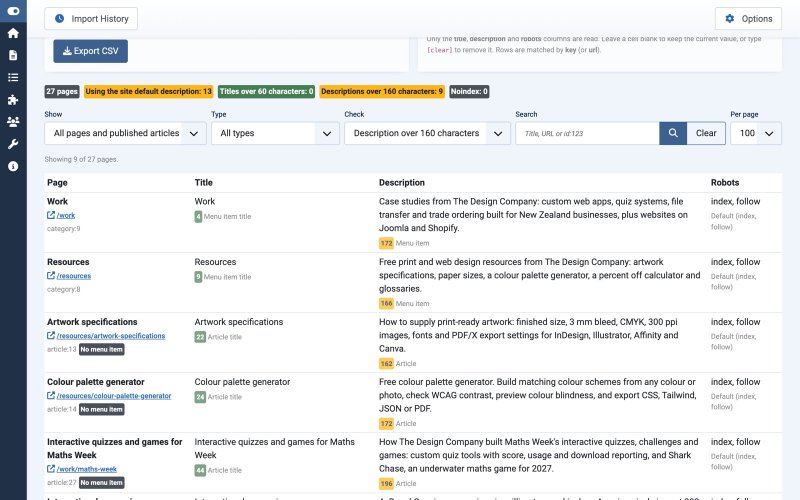
- Find What Needs Fixing — filter the Pages screen to pages using the site default description, titles or descriptions that are too long, or noindex pages, and search by title, URL or ID. Show every article, not just those with a menu item.
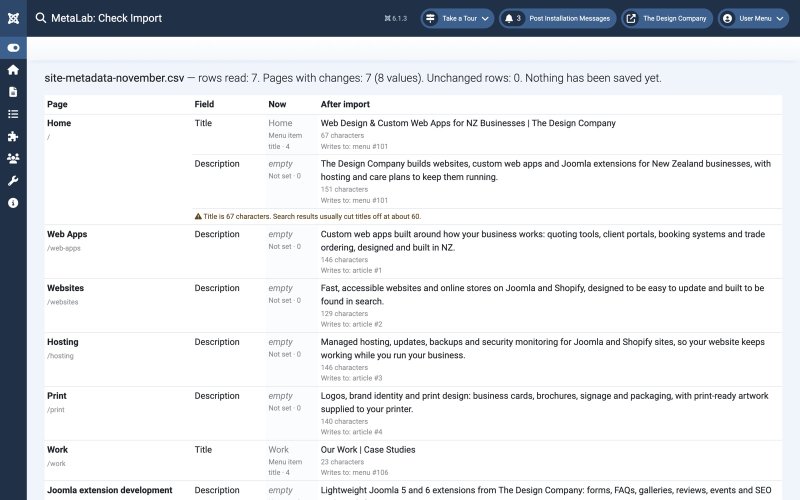
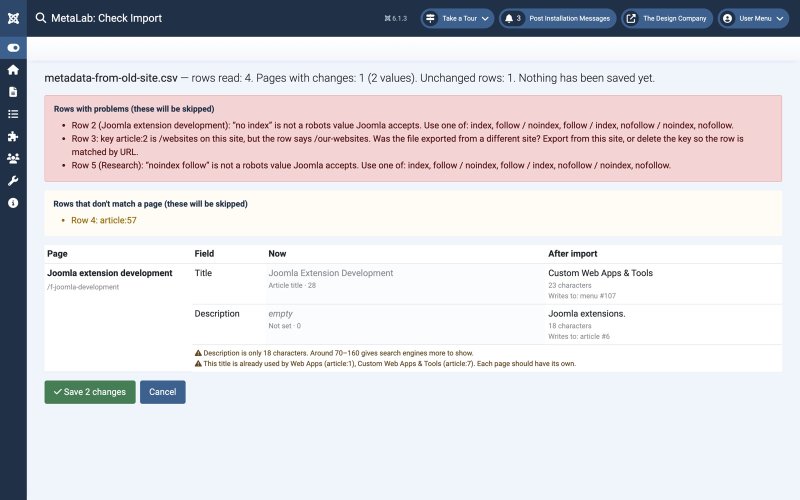
- Preview Before Saving — every change is listed with its current and new value before anything is written.
- Length Warnings — flags titles over 60 characters and descriptions outside 70–160 characters.
- Duplicate Title Check — warns when two pages would end up with the same title.
- Robots in the Same File — set noindex on login, profile and other pages in the same pass.
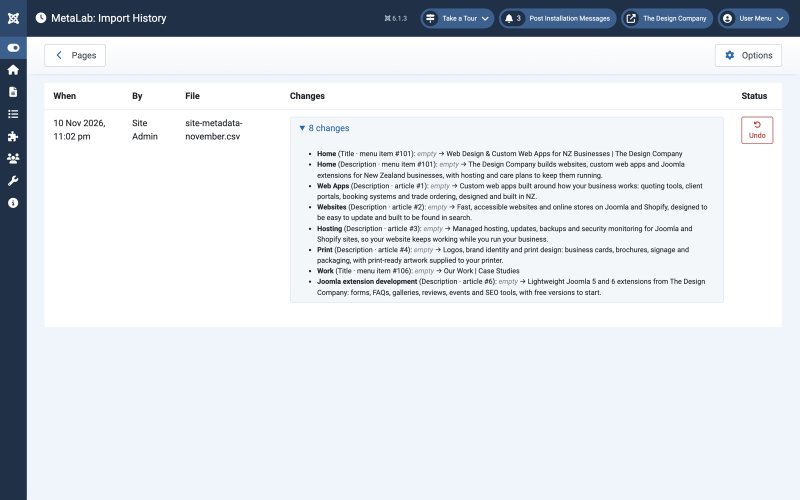
- Undo Any Import — Import History records every value changed, who changed it and when, and puts the old values back in one click.
- Never Overwrites Later Edits — values edited after the preview, or after an import, are skipped and reported rather than overwritten.
- Safe Across Sites — rows exported from a different site are detected and skipped, so a file can’t change the wrong pages.
- Spreadsheet Friendly — reads CSVs from Excel, Numbers and Google Sheets, with comma, semicolon or tab separators and UTF-8, UTF-16 or Windows-1252 encoding.
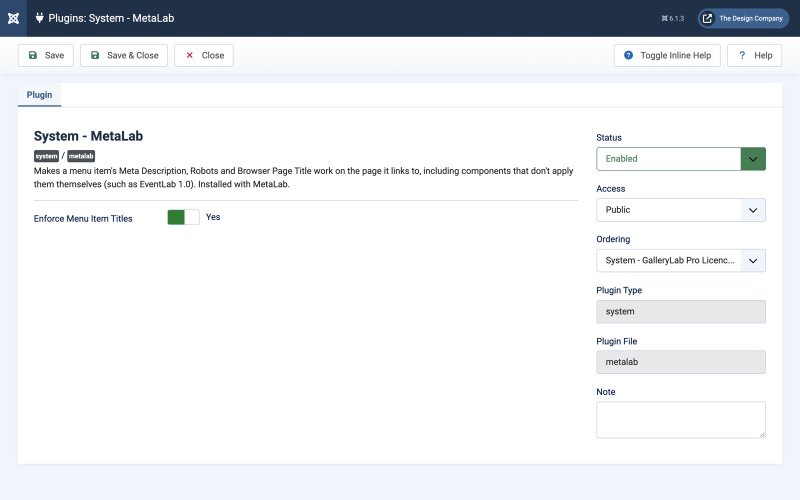
- Menu Descriptions Everywhere — the included system plugin applies menu item meta descriptions on components that ignore them.
- Lightweight — no frontend output, no third-party dependencies, and nothing added to your pages except the meta tags themselves.
How It Works:
- Install the package and go to Components → MetaLab.
- Click Export CSV and open the file in Excel, Numbers or Google Sheets.
- Edit the title, description and robots columns. Leave a cell blank to keep the current value.
- Upload the file, check the preview, and click Save.
- Changed your mind? Undo the import from Import History.
Built for Joomla 5 and 6 with a native MVC component and a lightweight system plugin. No frontend scripts or stylesheets.
Releases
v1.1.0
- Pages screen can list every published article, including articles without a menu item
- Filters on the Pages screen: show (menu pages / all pages), type, metadata check and search
- Search by page name, title, description, URL, or id:123
- Pages screen pagination with a choice of how many to show
- Articles without a menu item are labelled in the list
- Export's "include articles without a menu item" box follows the list's Show filter
Joomla 5.0 – 6.99.99 | PHP 8.1+
v1.0.0
- CSV export of browser titles, meta descriptions and robots settings for every menu-linked page
- Option to include articles that have no menu item in the export
- One row per page: an article linked from several menu items is one row, and its title is kept in step on all of them
- Pages screen showing each page's current values, character counts and where each value comes from
- Import preview listing every change with its current and new value before anything is saved
- Warnings for titles over 60 characters, descriptions outside 70–160 characters and duplicate titles
- Values written to the field Joomla uses for each page type: articles, categories and other menu item pages
- Blank cells keep the current value; [clear] removes a value
- Rows from another site, unmatched rows, duplicate rows and invalid robots values detected and skipped
- Import History recording every changed value, with one-click undo
- Changes made after the preview, or after an import, are never overwritten
- Article and category modified dates are left unchanged, so Last Updated and sitemap dates aren't affected
- Reads CSVs from Excel, Numbers and Google Sheets: comma, semicolon or tab separators; UTF-8, UTF-16 or Windows-1252 encoding
- System - MetaLab plugin applies menu item meta descriptions, robots and browser page titles on components that ignore them
- CSV export protects against spreadsheet formula injection
- Standard Joomla permissions: Access Administration Interface to view and export, Edit to import and undo
- Imports and undo only change menu items and articles the user can already edit in Joomla
Joomla 5.0 – 6.99.99 | PHP 8.1+